Mandatory aged care reports, lodged from the record Referrals answered first, and reports lodged without the portal.
GPMS, the Government Provider Management System of the Department of Health, Disability and Ageing, is where My Aged Care referrals come from and where your mandatory reports go.
- Referrals in your intake. My Aged Care referrals arrive beside every other referral, ready to answer.
- Reports from care already recorded. Quality Indicator and 24/7 RN reports are lodged without anyone keying them into the portal.
- Your own credentials, set up once. HealthOS connects through the Department’s business-to-government (B2G) gateway as your organisation.
GPMS deals with the Department, ACWS with Services Australia
They are easy to confuse, and an aged care provider needs both. GPMS brings referrals in and takes your mandatory reports out to the Department. ACWS is how you are funded: the events and claims you lodge with Services Australia.
- Brings in
- My Aged Care referrals for residential care and Support at Home, and your services and outlets as GPMS holds them.
- Sends
- Quality Indicators each quarter and 24/7 RN reports each month, under the name of the person who declares them.
- Connects with
- Your organisation’s machine credential from RAM and your own B2G Developer Portal application.
- Good for
- Knowing who has been referred to you, and meeting your reporting obligations.
- Brings in
- The person’s live record: approvals, AN-ACC class, Support at Home budget, contribution rates and fees.
- Sends
- Entry, departure, leave and supplement events, and the monthly claims.
- Connects with
- Your organisation’s PRODA device.
- Good for
- Being paid for the care you deliver.
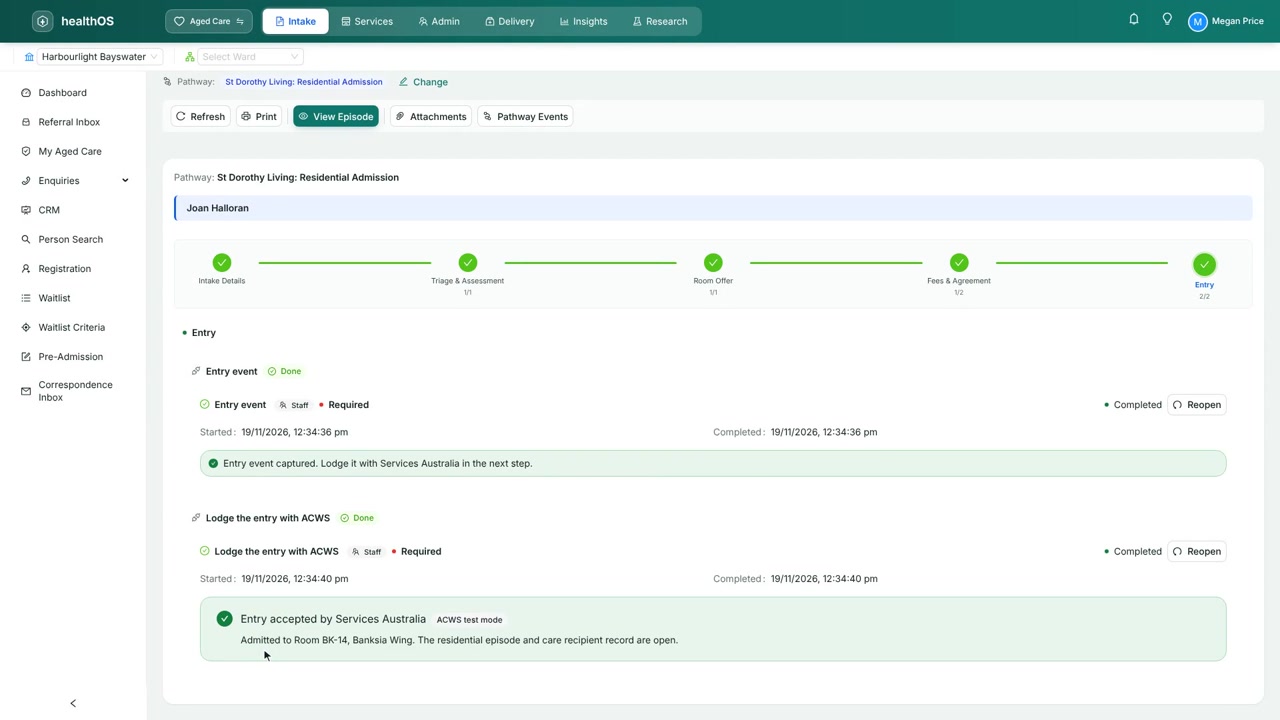
Together: a referral arrives through GPMS, the person’s fees and budget come from ACWS, and once care starts the entry event is lodged with ACWS so funding can flow. See ACWS in detail.
Reporting built from the care already given
Answer a referral before it goes to another provider
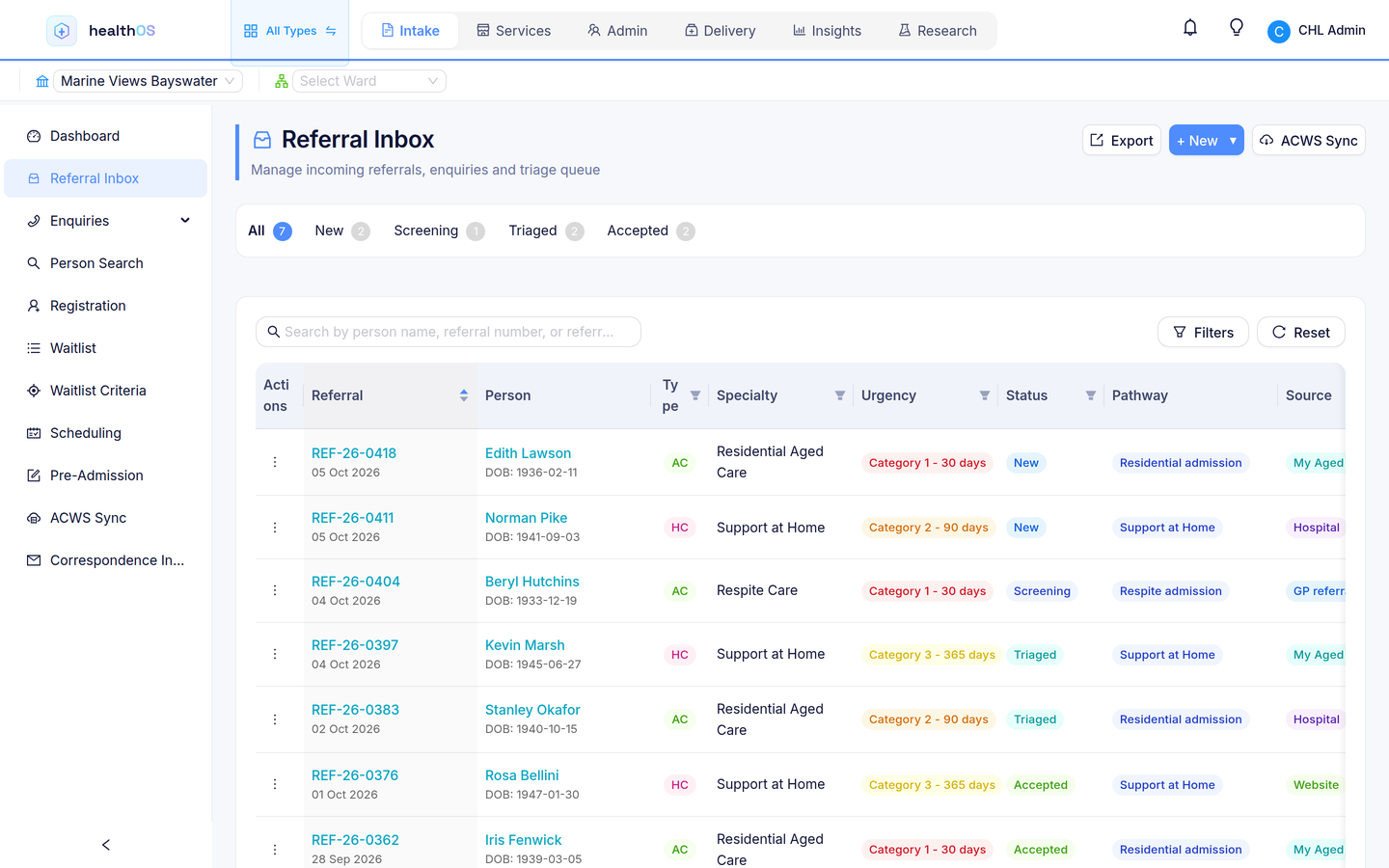
My Aged Care referrals for residential care and Support at Home are read through GPMS and matched to the person by their My Aged Care ID. Each one waits for your intake team to review it, then joins the referral inbox with everything else, so nobody has to watch the portal. A quote or a room offer opens from the referral with the person’s details carried over.
- Residential and Support at Home referrals
- Matched to the person you may already know
- Reviewed by a person before they reach a care pathway
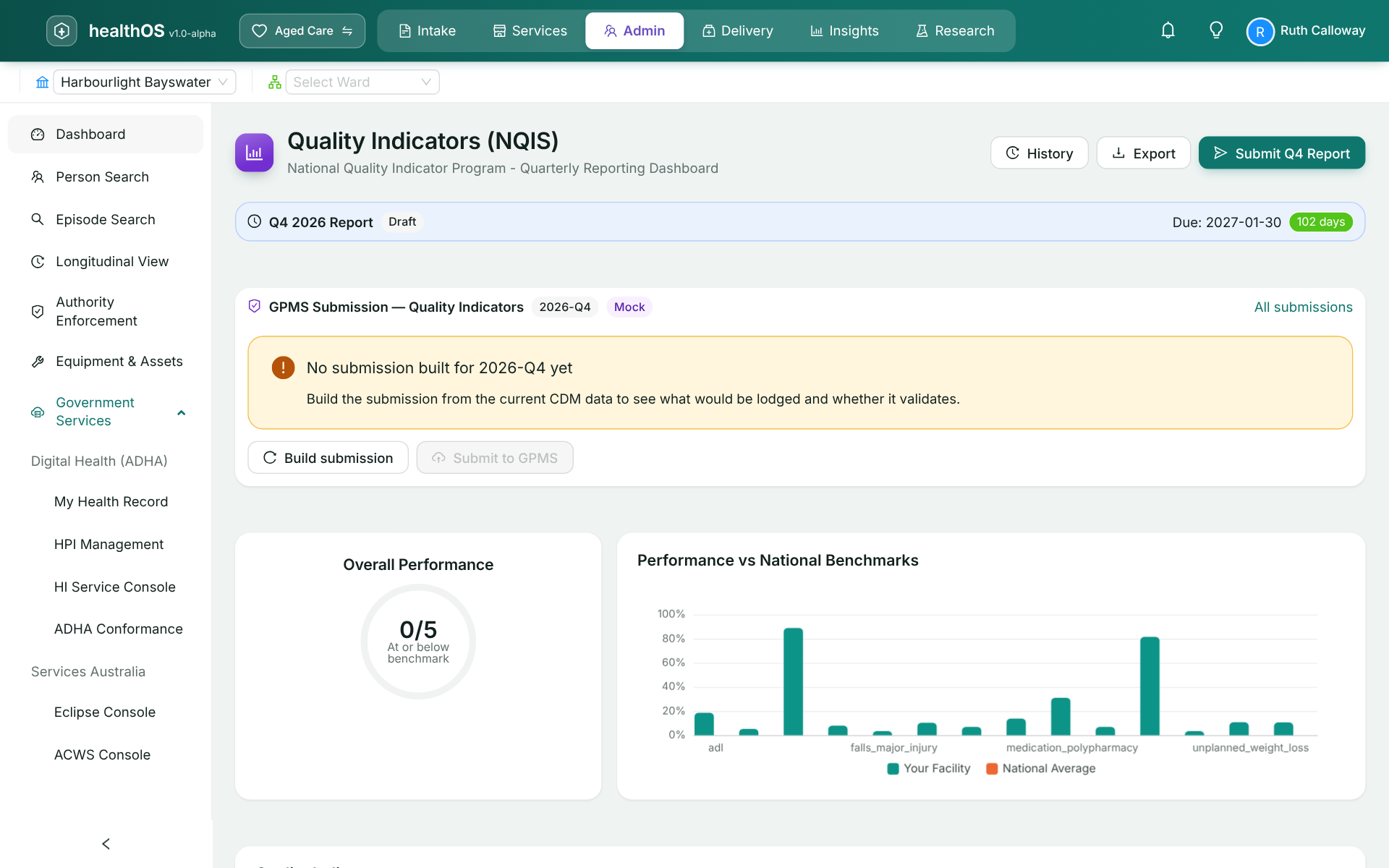
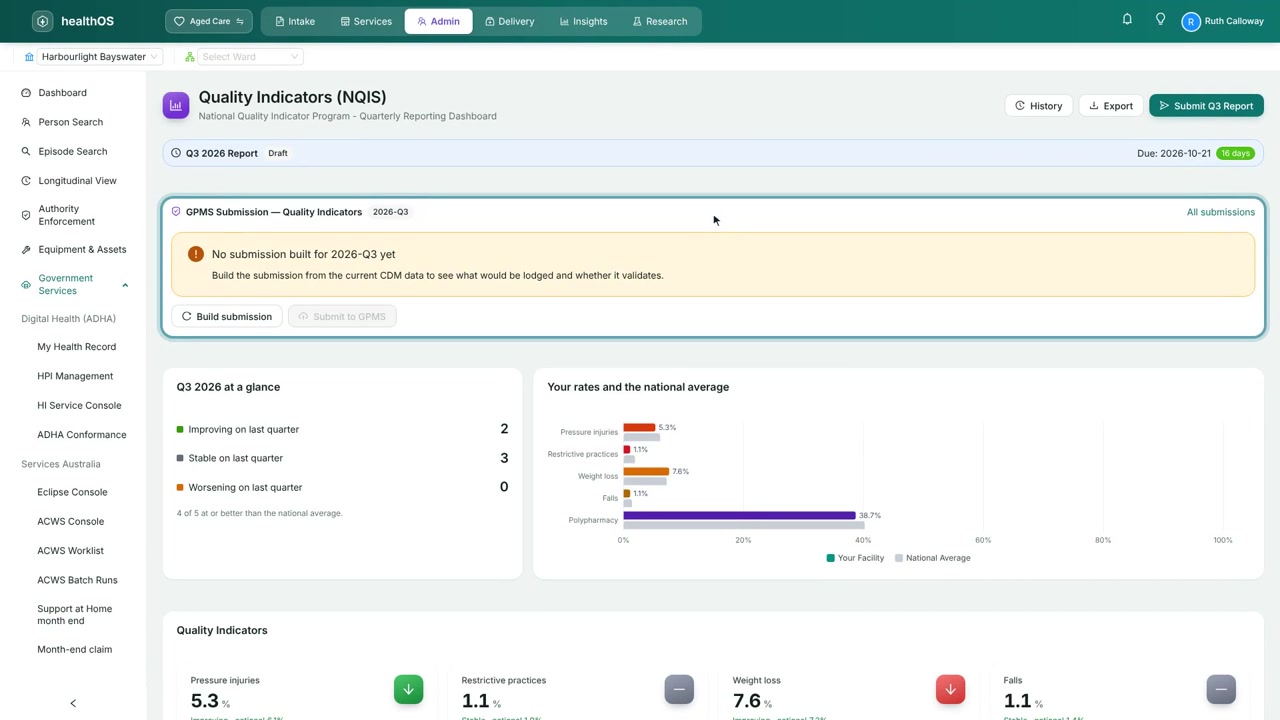
Quality Indicators lodged each quarter without re-keying
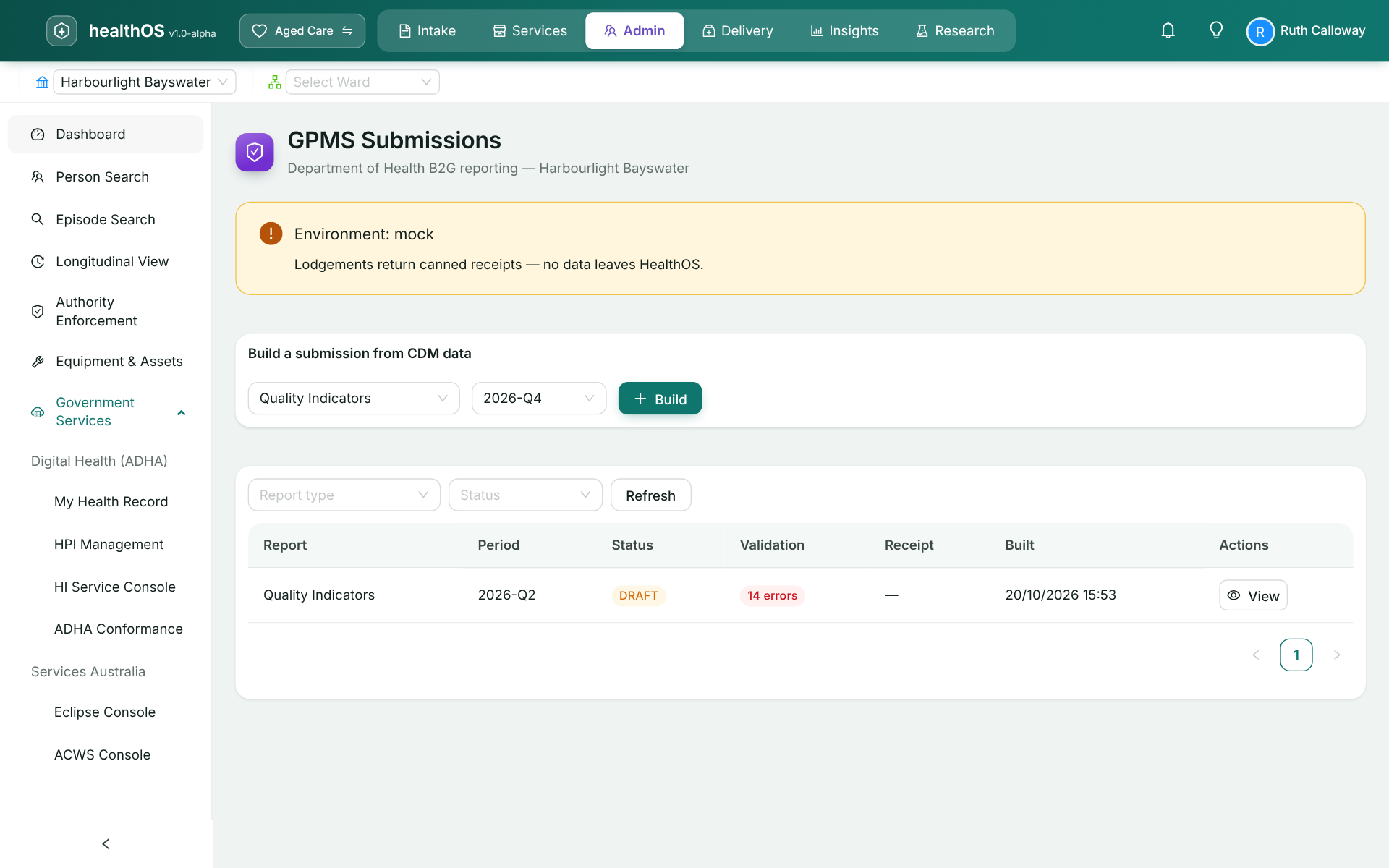
The National Quality Indicator report for each service is built from what staff recorded through the quarter, together with the questionnaire answered for the home. It is validated as it is built and lodged electronically, and the GPMS receipt stays with the report.
24/7 RN reports that match the roster
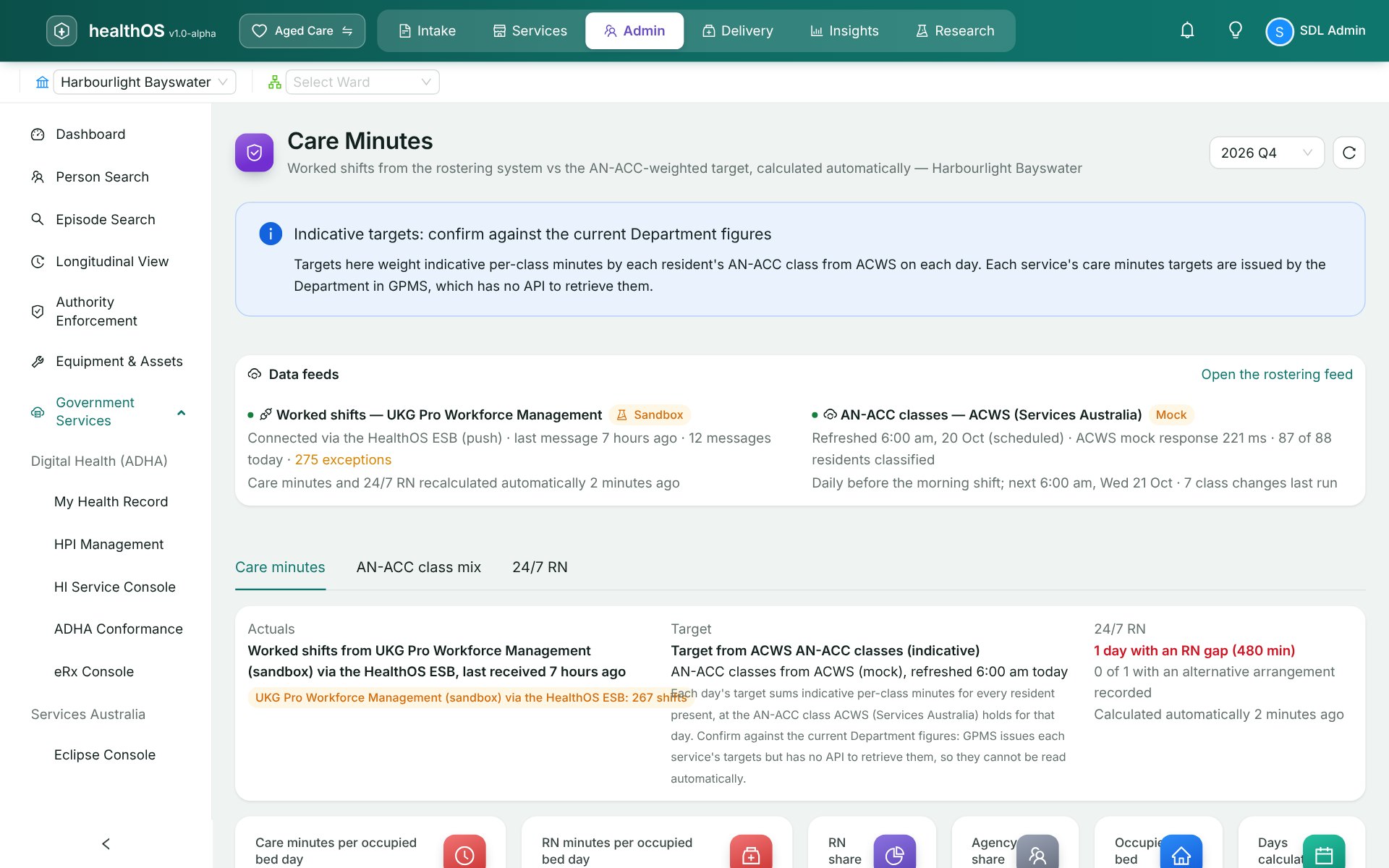
Registered nurse cover for each day comes from the shifts actually worked. Every gap and the month’s declaration are recorded on the care minutes screen before the report is built. The monthly attendance is then lodged with GPMS, so what you report is what the roster shows.
Care minutes figures checked before you enter them
The Department has no electronic lodgement for care minutes or Quarterly Financial Report staff hours, so no software can lodge them for you. HealthOS builds and validates both from the roster, then gives you the figures to key into the GPMS portal, ready to download or print. The work left is typing in numbers you already trust.
Every report declared by a named person, with its receipt kept
By the Department’s rules an administrator account cannot submit, so each report is lodged by someone you have made a submitter. They see the exact data that will be lodged, read the declaration that it is complete and correct, and accept it. That is recorded against their account and GPMS records them as the submitter. The receipt number stays on the report, and a rejected one shows the Department’s reason.
Your organisation’s own credentials, set up once
GPMS does not use PRODA. HealthOS acts for your organisation with a machine credential issued to your ABN, and a manager sets it up once in Workspace setup.
| Step | What happens |
|---|---|
| 1. Get a machine credential | Your authorisation administrator creates a machine credential for your ABN in Relationship Authorisation Manager (RAM). It is stored encrypted and never shown again. |
| 2. Register HealthOS | Enter the client id and secret of your own B2G Developer Portal application. This tells the Department that HealthOS acts for your organisation. You do it once, and again only if you replace the credential. |
| 3. Map your homes | HealthOS reads your services and outlets from GPMS, and you match each one to the home it reports for. |
| 4. Name who submits | Add each person who will lodge, with their GPMS federated id and email. |
| 5. Test | HealthOS signs in to the Department’s gateway and reads your organisation back. Nothing is lodged. |
| Direction | What |
|---|---|
| HealthOS receives | My Aged Care referrals, the client, assessment and support plan records GPMS holds for them, and provider, service and outlet reference data. |
| HealthOS lodges | Quality Indicators, quarterly for each service. 24/7 Registered Nurse attendance and declarations, monthly. |
| HealthOS prepares for the portal | Care minutes and Quarterly Financial Report staff hours, which the Department takes only through the GPMS portal. |
Tested with the Department’s gateway
HealthOS has passed testing for GPMS B2G. Your own connection is checked by the set-up test before anything goes live, and in practice mode a lodgement returns a practice receipt, so your team can rehearse a quarter without anything reaching the Department. See where every government service stands on Government services.
See it in action
Related
See a quarter’s reports built from the care you recorded
We’ll walk you through it on real data. Bring your questions.