The nurses’ station, in your pocket
Home care happens behind hundreds of front doors, with no nurses’ station down the hall. HealthOS Worker puts the day’s visits, the client’s record and the visit notes on the phone, and keeps working when the signal drops.
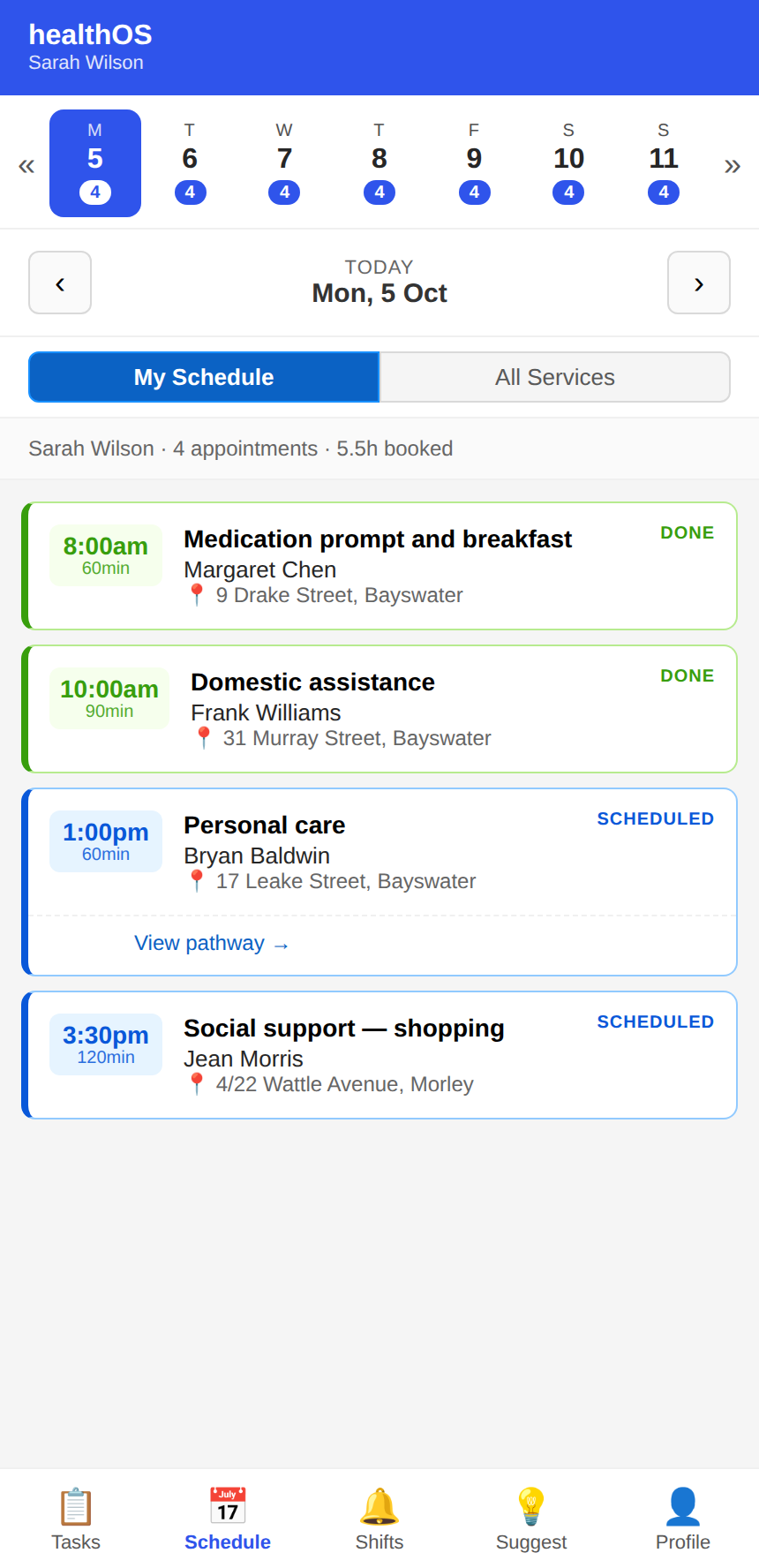
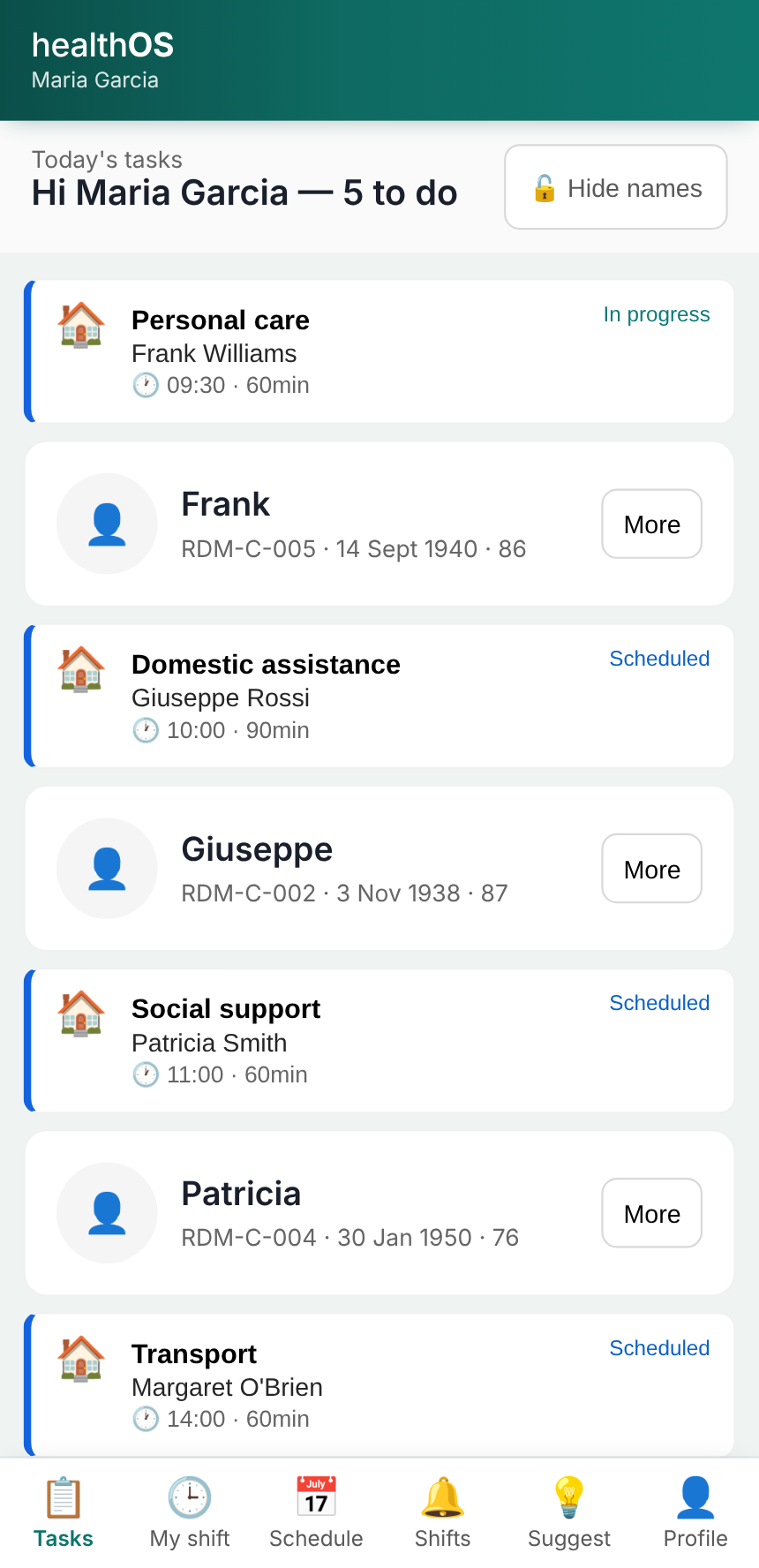
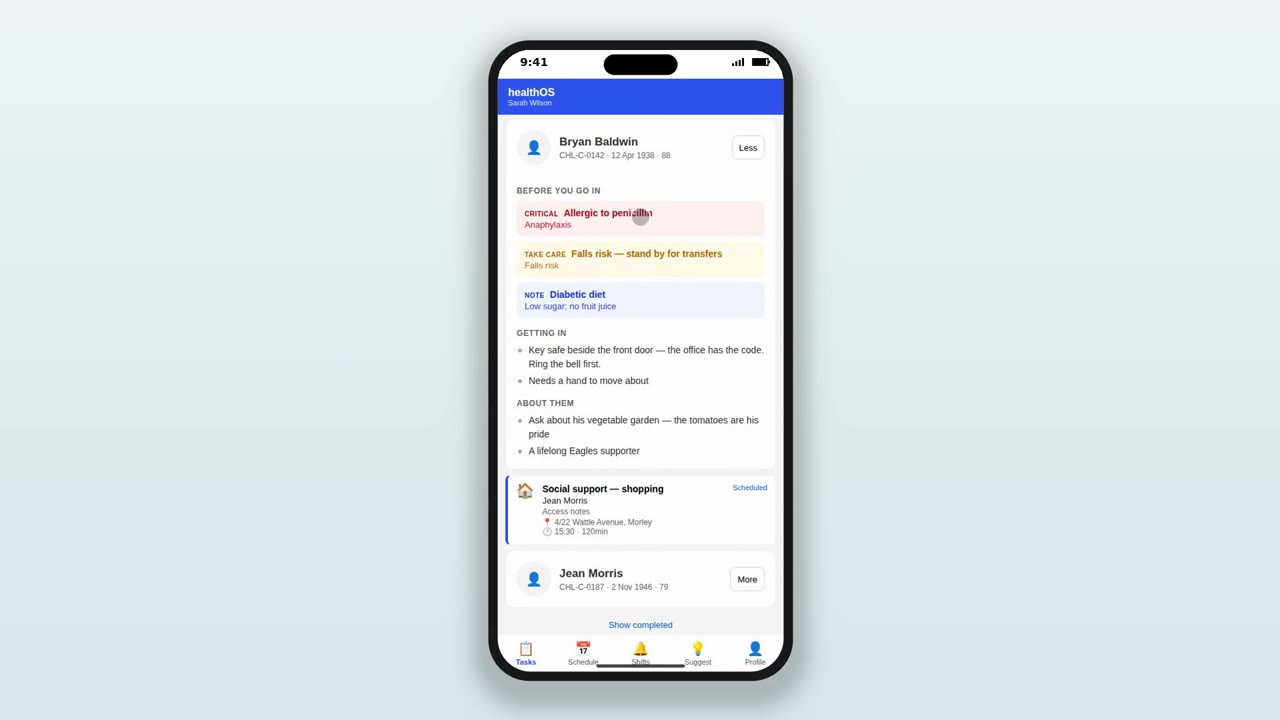
Today’s visits and tasks in one inbox, with the client’s details and care plan.
Check in with GPS, so the office knows you’ve arrived.
Service steps, notes and medicines recorded on the phone, with or without signal.
The visit becomes a delivery record for the budget, the claim and the family’s view.
Everything the visit needs, on the phone
Today’s visits in one inbox
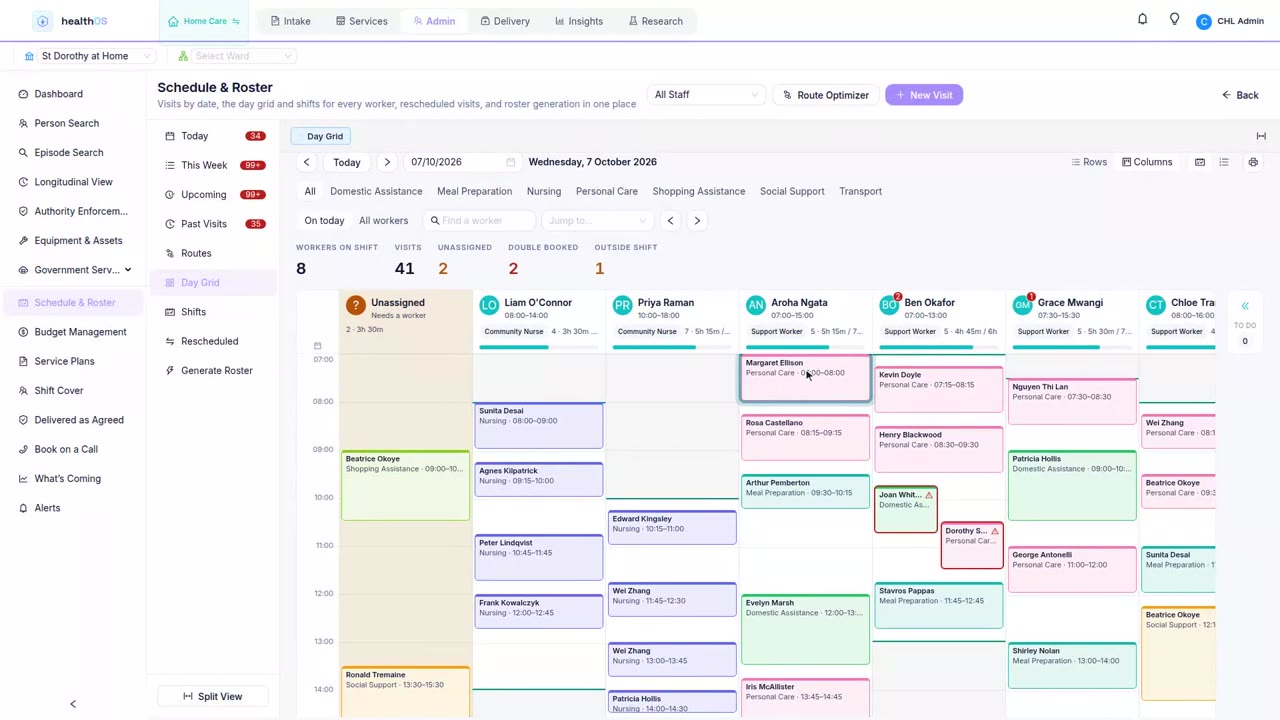
Home care visits, hospital-in-the-home visits, meal deliveries and one-off tasks all land in one list for the day. Tap a visit to see the client, follow the service steps and mark each one done.
- GPS-verified check-in on arrival
- Service steps and forms for each visit
- Vacant shifts offered to anyone who can take them
Keeps working when the signal doesn’t
Plenty of homes have no reception in the hallway. Notes and medicines given are recorded offline and sent when the phone is back in range. A sync screen leads with anything that hasn’t reached the office yet, so a worker standing in someone’s kitchen never has to guess.
Medicines at the visit
On hospital-in-the-home visits, the app shows the doses due around the appointment, with the one due now at the top. Recording a dose takes a few taps, and it works offline.
Watching between visits
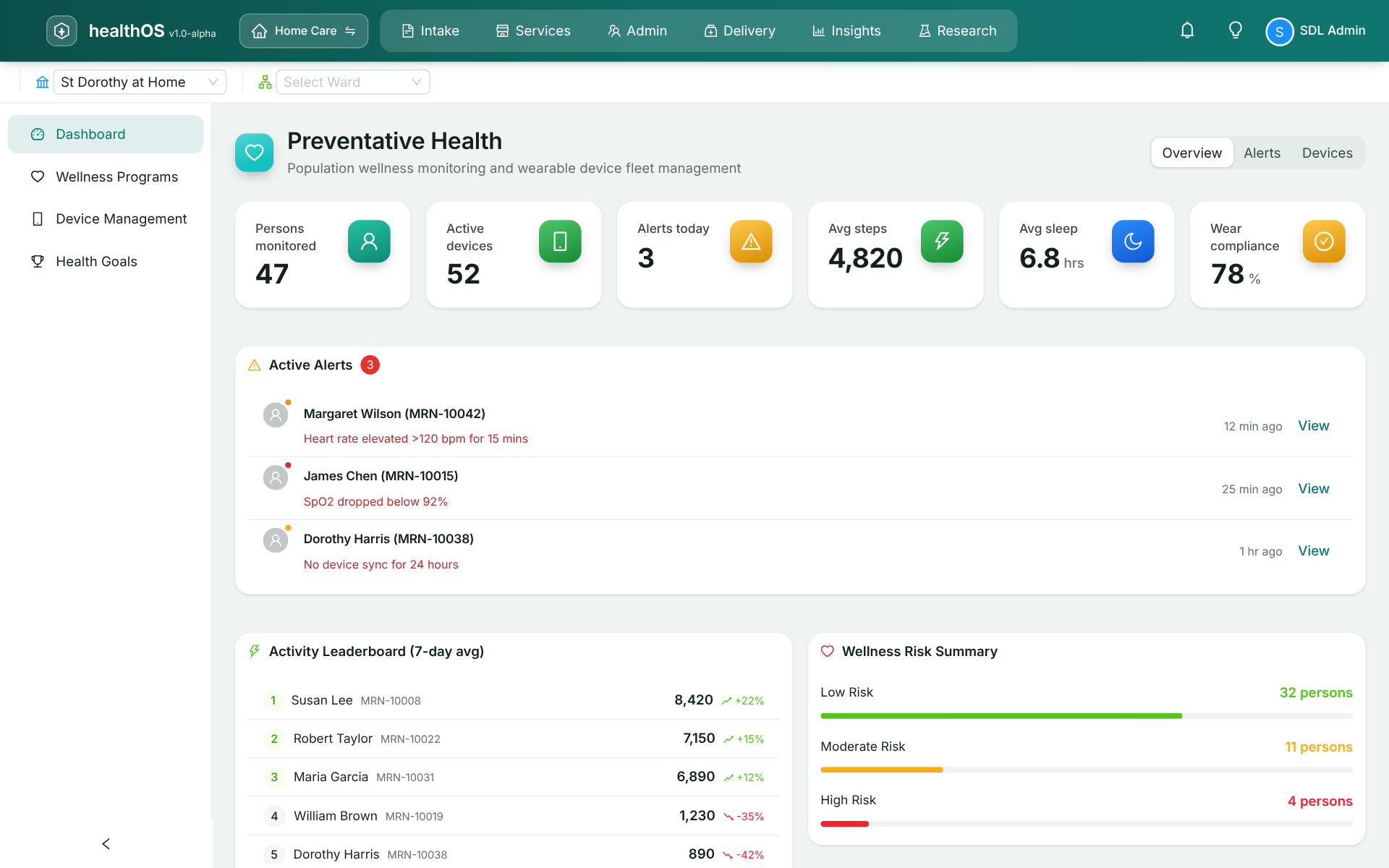
Clients living alone, or just home from hospital, are most at risk between visits. Readings from devices in the home sync to the record, and deterioration rules alert the right person before the next scheduled visit.
Handover to whoever comes next
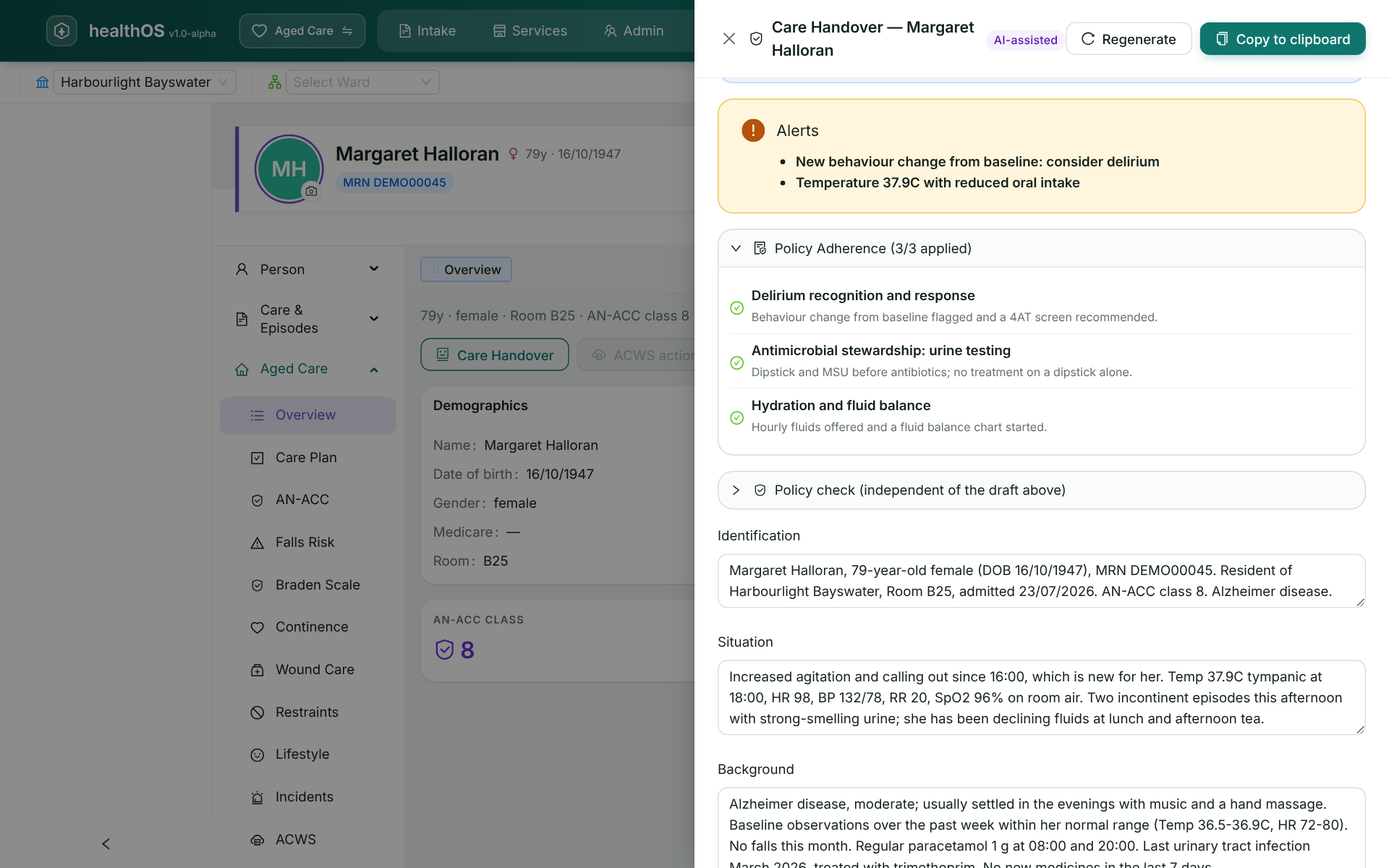
The AI handover drafts a field worker’s handover from the one connected record, so the next worker sees what happened on the last visit. A clinician reviews and signs it.
Families see the visit happened
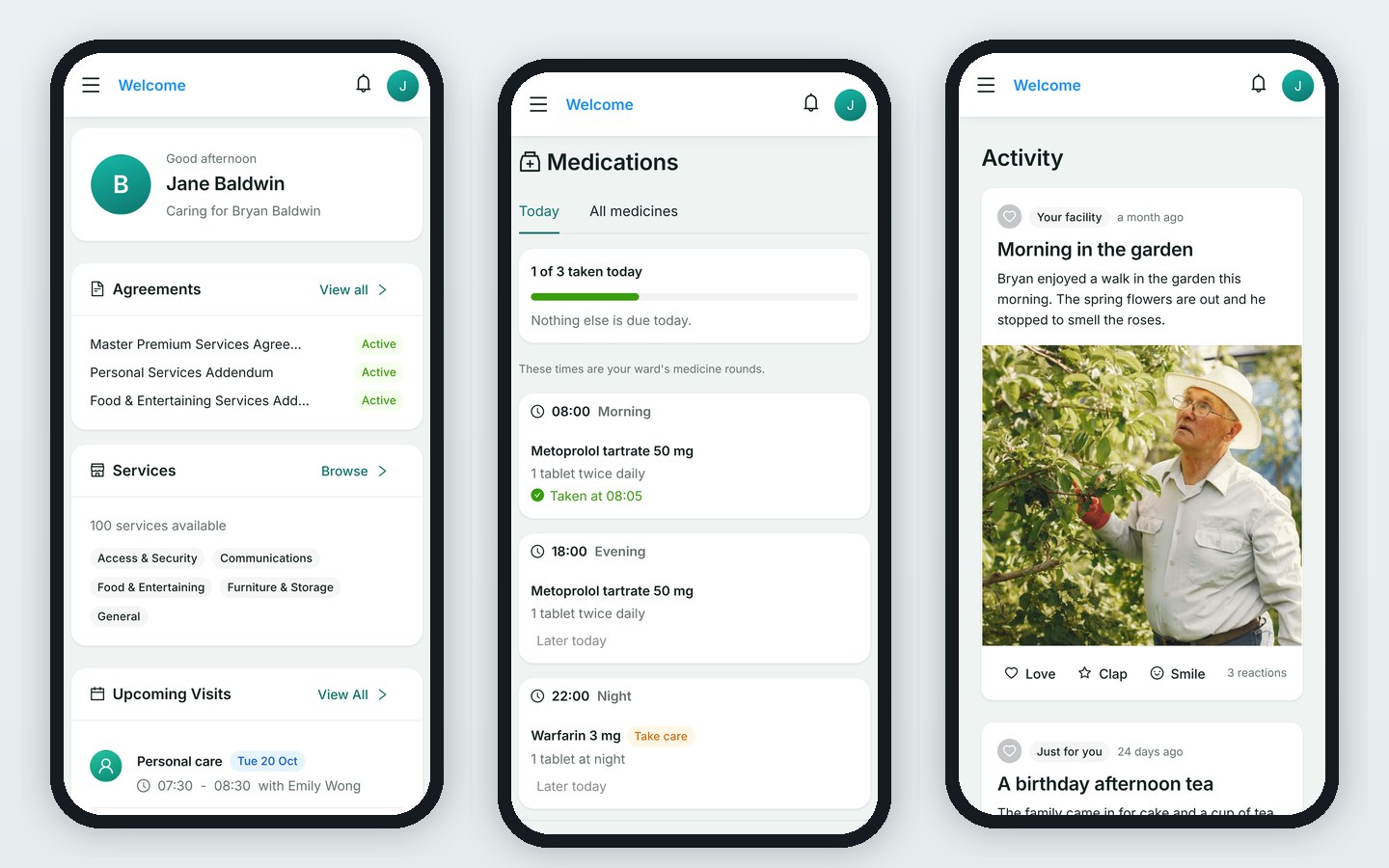
Families see the schedule, who visited and what was done in their own portal. The office takes fewer “did anyone come today?” calls. See At the kitchen table.
See it in action
Elsewhere in the care circle
Ride along on a home visit
We’ll walk a care worker’s day with you, from the first visit to the last sync.