Aged care funding, claimed from the record No PRODA logins, and a month end you only have to check.
Aged Care Web Services (ACWS) is how Services Australia funds residential aged care and Support at Home.
- No PRODA logins. HealthOS works with Services Australia through your organisation’s own PRODA device, so nobody signs in to PRODA or the provider portal.
- Every day counted. Entries, departures and leave are lodged from the record as they happen.
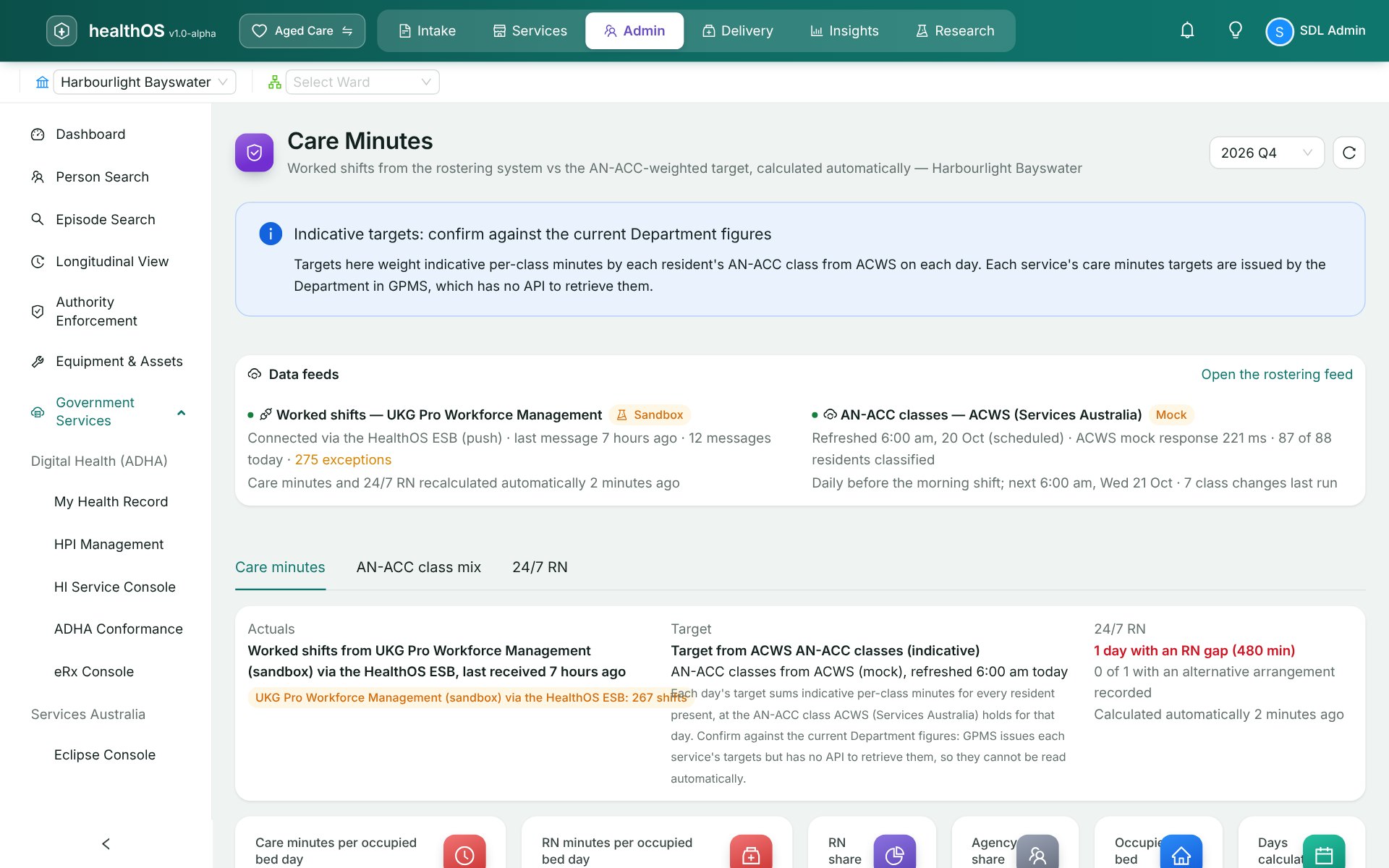
- Paid on the right class and budget. AN-ACC classes and Support at Home budgets are read live.
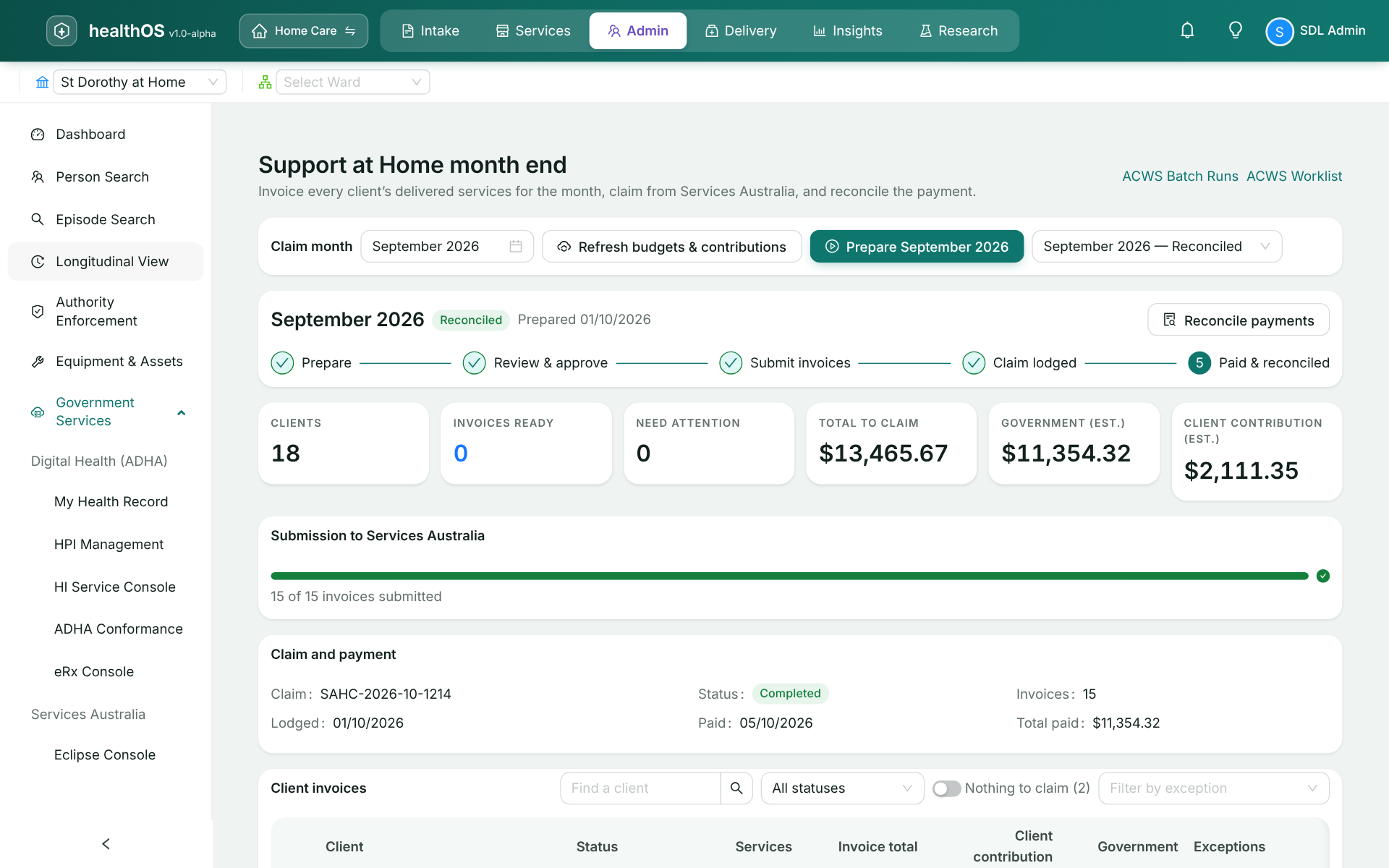
- Month end prepared for you. The month’s claim is prepared, then reconciled against what is paid.
Entry, departure and leave events, supplements, AN-ACC classes and care recipient fees, monthly claims and payment statements.
Care recipient lookup, quarterly budgets and contribution rates, entry and departure, and the monthly invoices, claim and payment statement.
Funding claimed without the portal
Every day in your care counted
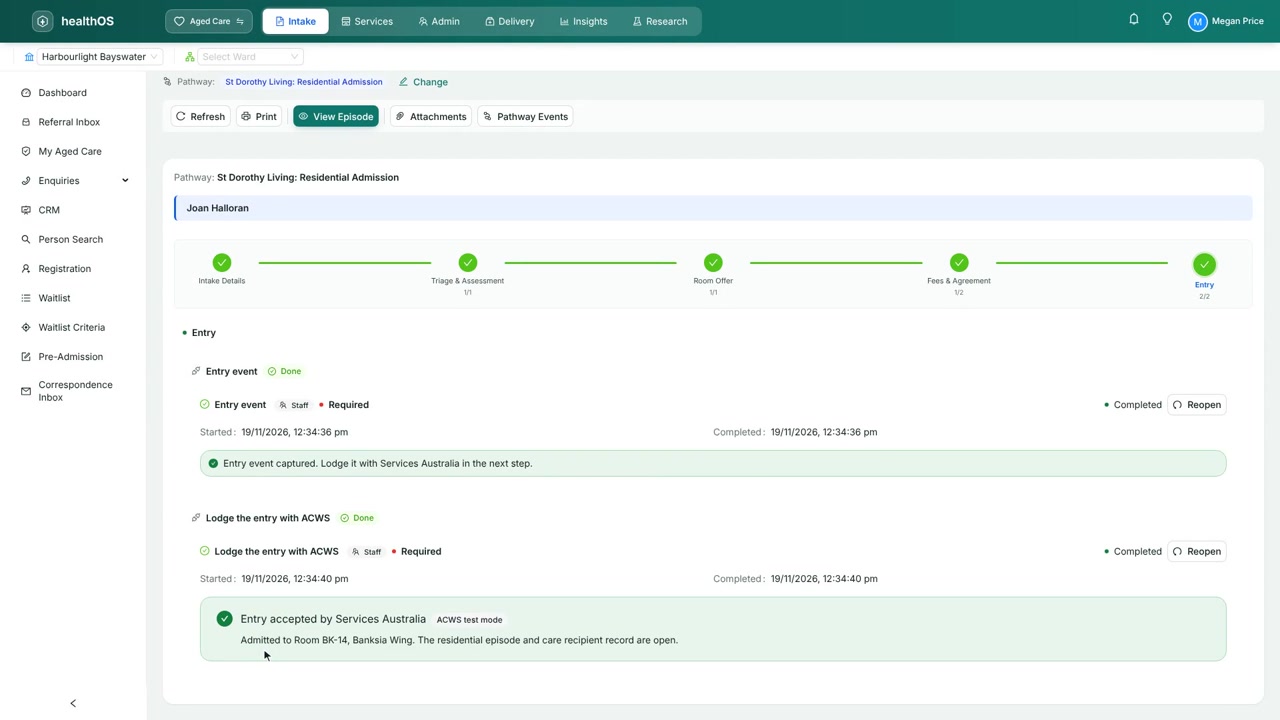
Services Australia pays on the events you lodge, so a missed entry or a leave day nobody reported is money left behind. HealthOS lodges entry, departure and leave events from the resident’s record when they happen, and supplements for oxygen, enteral feeding and extra service go the same way. What Services Australia holds then matches who was actually in your beds.
- Entry, departure and leave events from the resident’s record
- Oxygen, enteral feeding and extra service supplements
- Accommodation balances and care recipient fees read back
Funding and care minutes from the class you are paid on
Each resident’s AN-ACC class is read from their ACWS record, so funding forecasts and care minutes targets start from the class Services Australia holds. When a reassessment comes through, a refresh picks it up. The same lookup brings back the resident’s approvals and the means-tested care fee, which fills in their agreement with its source shown, so nobody types it from a letter.
A quote in dollars from the client’s live budget
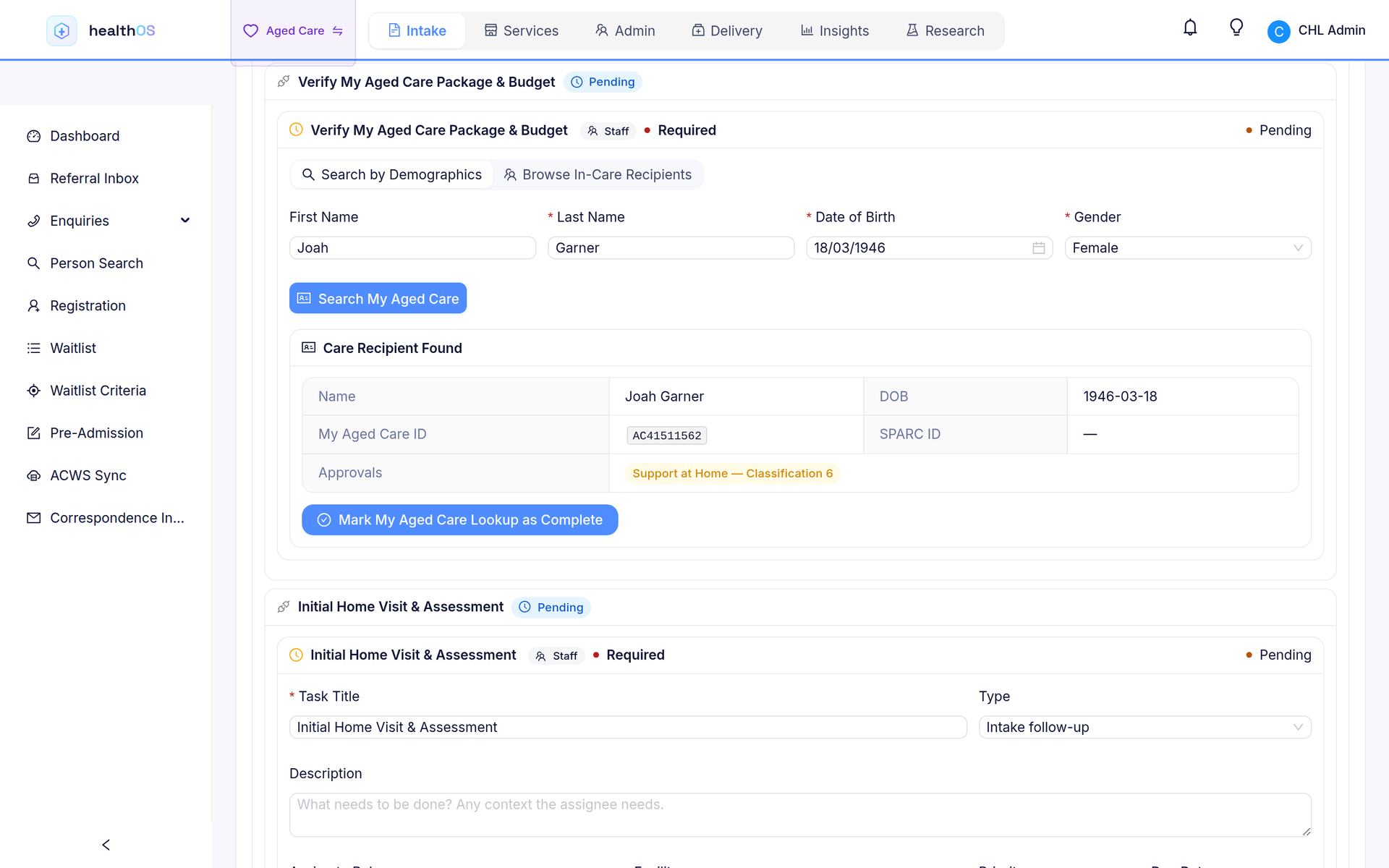
With a person’s care recipient id, surname and date of birth, HealthOS reads what Services Australia holds for them: this quarter’s budget with what is used and what is left, their contribution rates, and their classification and approved services as they stand today. A family gets a figure on the first call, and when the referral is accepted the Support at Home entry event is lodged from the same record.
- Care recipient search and summary
- Quarterly budgets, with what is used and left
- Means-tested client contribution rates
- Support at Home entry and departure events
A month end you only have to check
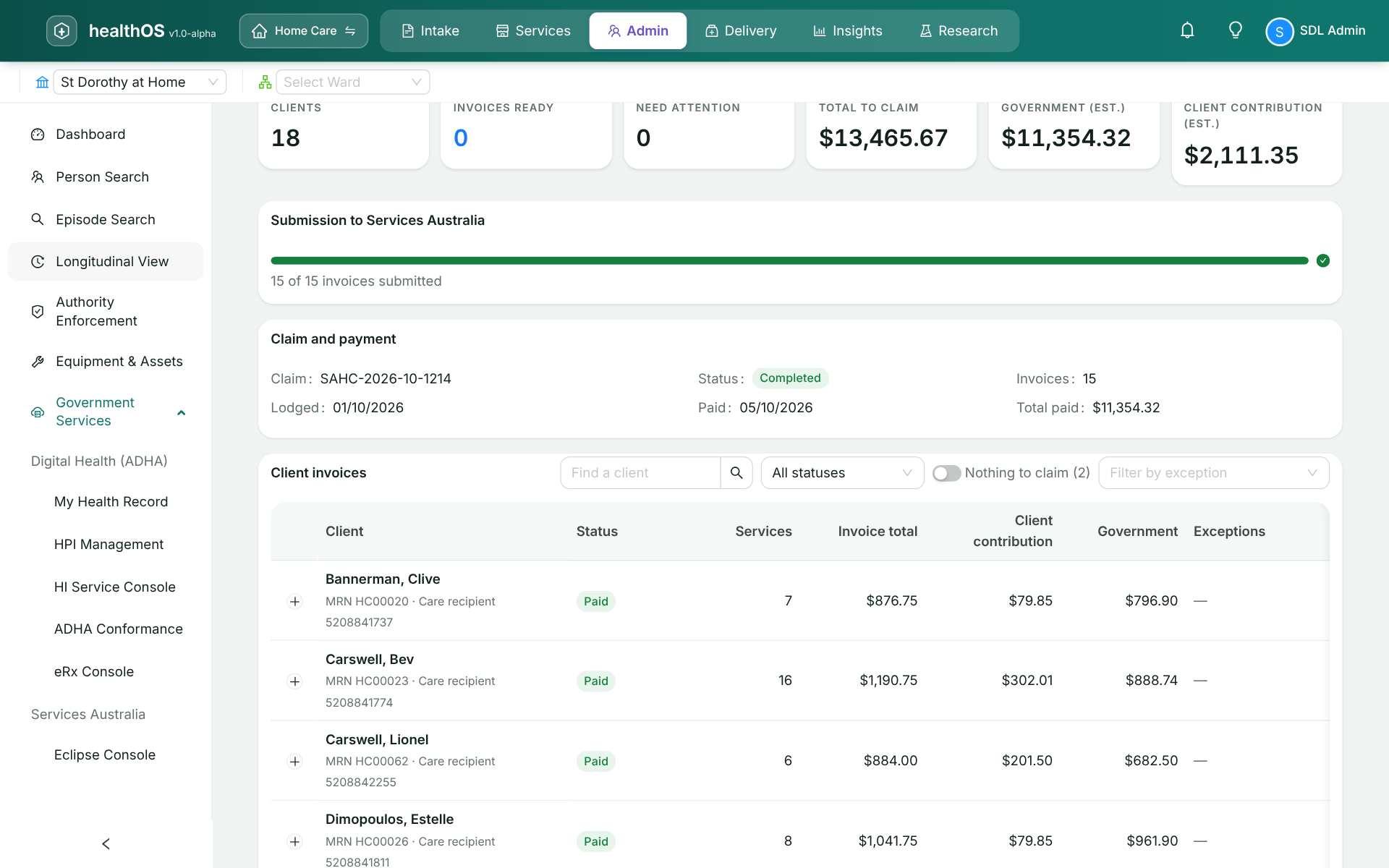
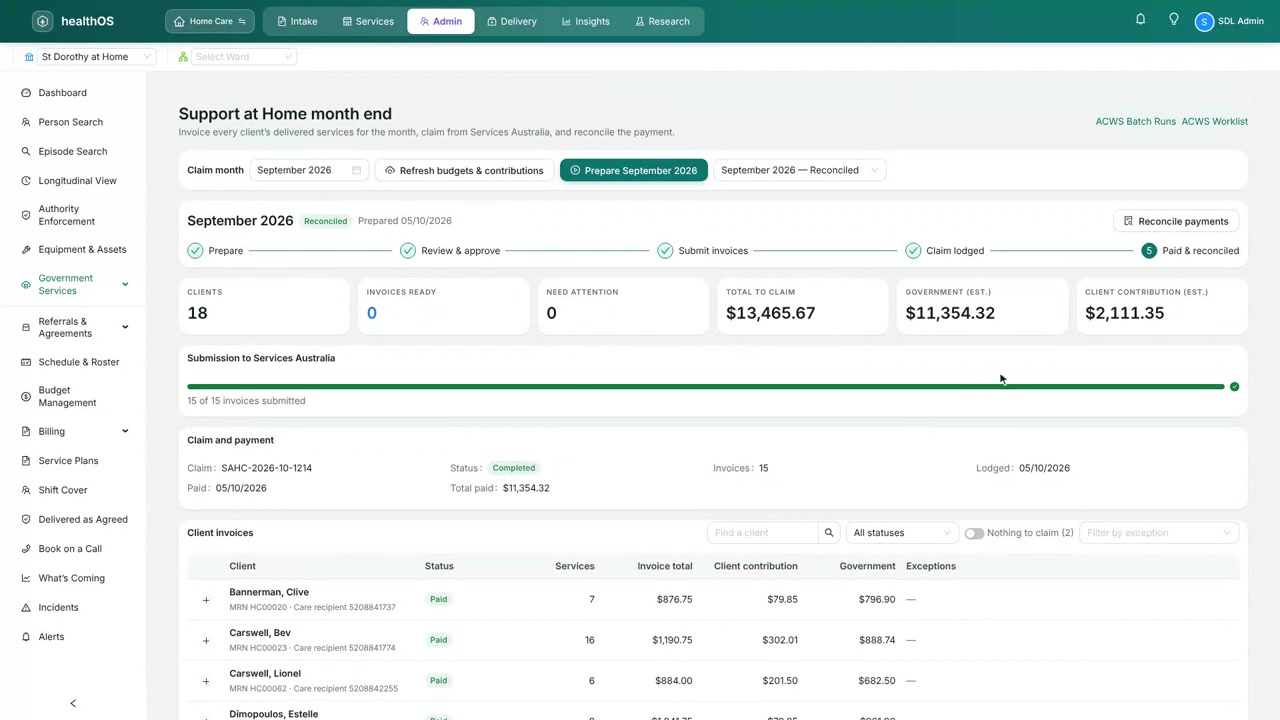
Every delivered service is already on the client’s record, priced and split between the government and the client contribution. At month-end HealthOS prepares one invoice per client from those services and flags anything Services Australia would refuse before it goes, such as a client whose entry was never lodged. Finance reviews and submits, and HealthOS lodges the invoices, makes the claim and reads back the payment statement.
Payments matched to the claims they pay
Payment statements are retrieved from Services Australia and matched back to the claims and invoices they cover, for residential care and Support at Home alike. Each invoice shows as paid, and anything that does not match comes to finance for review. Every call HealthOS makes to ACWS is logged with who made it and kept for seven years, and your administrators can export the log for an audit. Medicare numbers are never written into it in plain text.
Set up once with your own PRODA device
ACWS is reached through PRODA, and the device belongs to your organisation, under your RA number. A manager sets it up once in Workspace setup. ACWS is about funding and claiming with Services Australia; referrals and mandatory reporting go to the Department through GPMS.
| Step | What happens |
|---|---|
| 1. Register a device in PRODA | Register a B2B device for HealthOS, or use one you already have, and link it to the Aged Care program for your homes or your Support at Home service. |
| 2. Activate it | Enter the RA number, the device name and its activation code. HealthOS uses the code once to register the device’s key with PRODA and does not keep it. After that we keep the device key current for you. |
| 3. Name your services | Enter each home’s RACS id, or your Support at Home service’s NAPS id, which HealthOS looks up before saving. |
| 4. Test | HealthOS asks PRODA for a token with your device. When it gets one, ACWS is turned on. |
| Direction | What |
|---|---|
| HealthOS sends | Entry, departure and leave events, supplement events, Support at Home invoices, and the monthly claims. |
| HealthOS receives | Care recipient summaries, approvals and fees, AN-ACC classes, Support at Home budgets and contribution rates, and payment statements. |
Tested with Services Australia
HealthOS has passed Services Australia’s ACWS conformance testing for Residential Care and Support at Home. The production notice of integration is complete. See where every government service stands on Government services.
See it in action
Related
See your month-end prepared from the care you recorded
We’ll walk you through it on real data. Bring your questions.