Services and price lists
Every quote is priced from your own services and prices. The service catalogue says what you offer and how each service maps to the Support at Home list; a price list says what you charge, and from when.
The quickest start
With an empty catalogue, open Service Catalogue and choose Start from the Support at Home list. It adds every service on the Department’s list and a price list at the national median prices. Every one of those prices is marked indicative, and quotes tell the caller so, until you set your own.
Your service catalogue
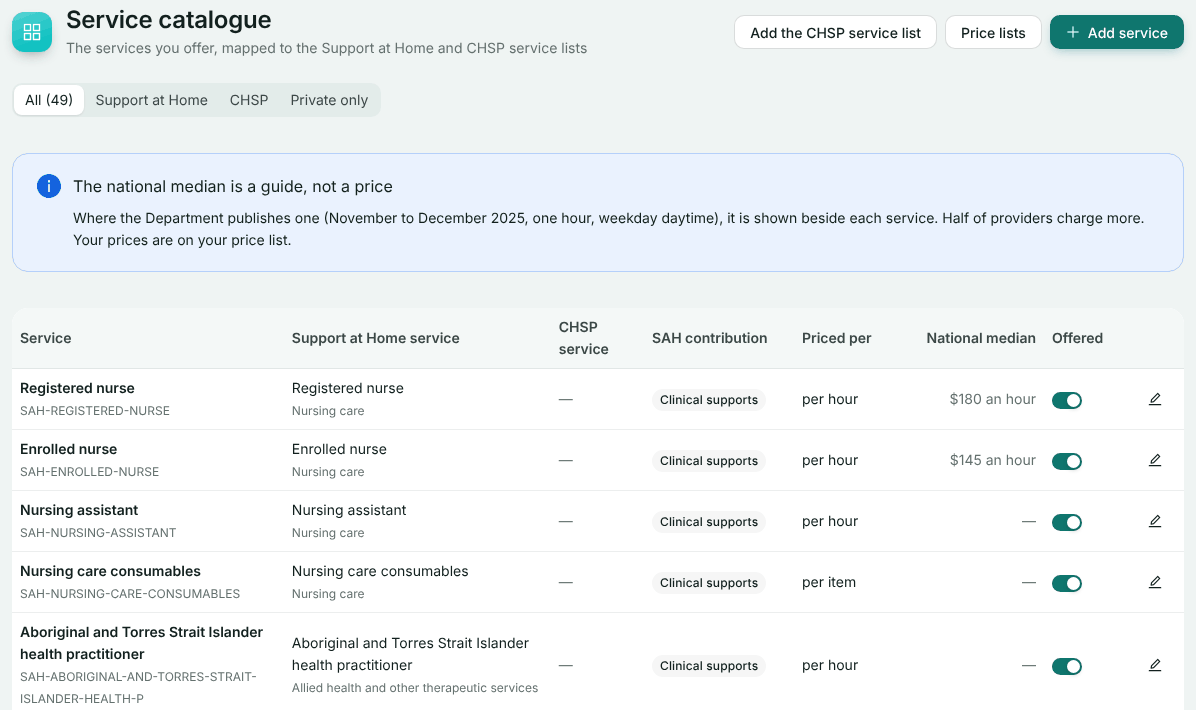
Prices are not set here: this is the list of what you offer.
Add or edit a service
Choose Add service, or edit one. Pick the Support at Home service it is from the Department’s list. That decides its contribution category, so choose carefully. Give it Your name for it, a Code, and what it is Priced per.
Turn services on or off
The Offered switch on each row decides whether it can be quoted.
The contribution category, Clinical supports, Independence or Everyday living, sets how much of a service the person pays. It comes from the mapping and cannot be chosen separately. If you also deliver CHSP, Add the CHSP service list adds its services.
Price lists
Create the list
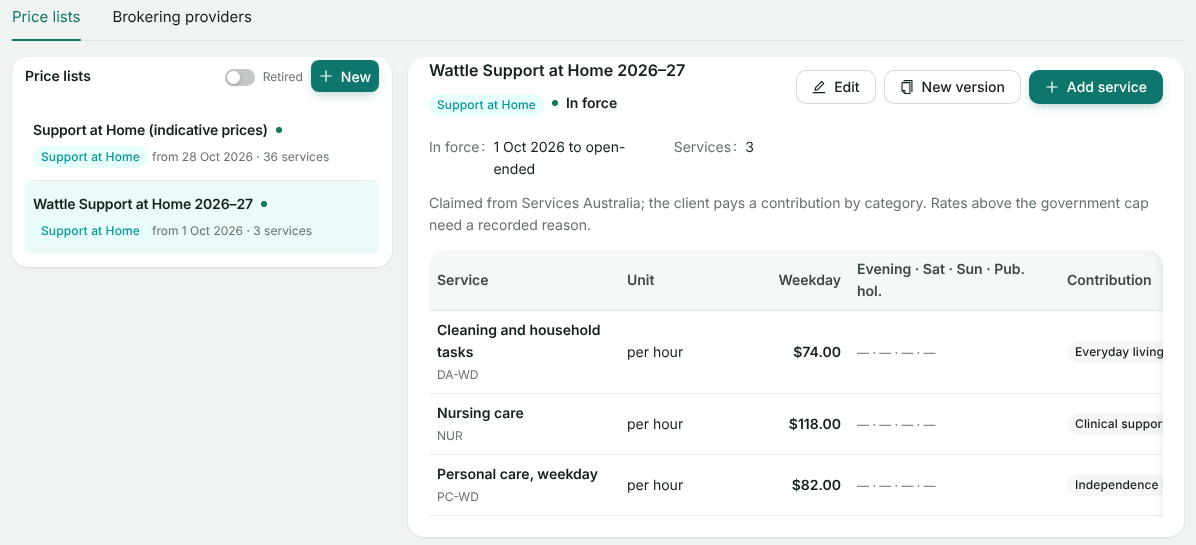
On Price Lists, choose New. Choose the funding stream, name it (for example “Support at Home 2026–27”), set when it is In force from, and optionally until, and set it Active. A Draft list is never quoted from.
Price each service
Add a service from your catalogue and enter its Weekday rate, plus weekday evening, Saturday, Sunday and public holiday rates. Leave a rate empty if you do not offer the service then: a quote for that time is refused, never charged at the weekday rate.
Check the government cap
A rate above the government cap needs a reason recorded before it can be saved.
The list warns how many services are still at the national median. Replace those with your own prices.
Changing prices
To change prices from a date, open the list and choose New version and the date the new prices start. Every service and price is copied to the new version, and the old version closes the day before. Visits delivered before then keep their old price.
Which list a quote uses
- Phone Quote uses an active Support at Home list in force today, newest first. When several are in force, you choose.
- Your public quote page uses the list chosen in its set-up: see Your public quote page.
Still stuck? Email support@healthos.net.au