Phone quotes and enquiries
When someone rings asking what Support at Home would cost, Phone Quote prices it while they are on the line: what the services cost each quarter, what comes from their budget, and what they would contribute.
Before your first phone quote
Phone Quote prices from a Support at Home price list that is active and in force today. Without one, it says there is nothing to quote from. Set up your services and prices first: see Services and price lists.
Quote a caller
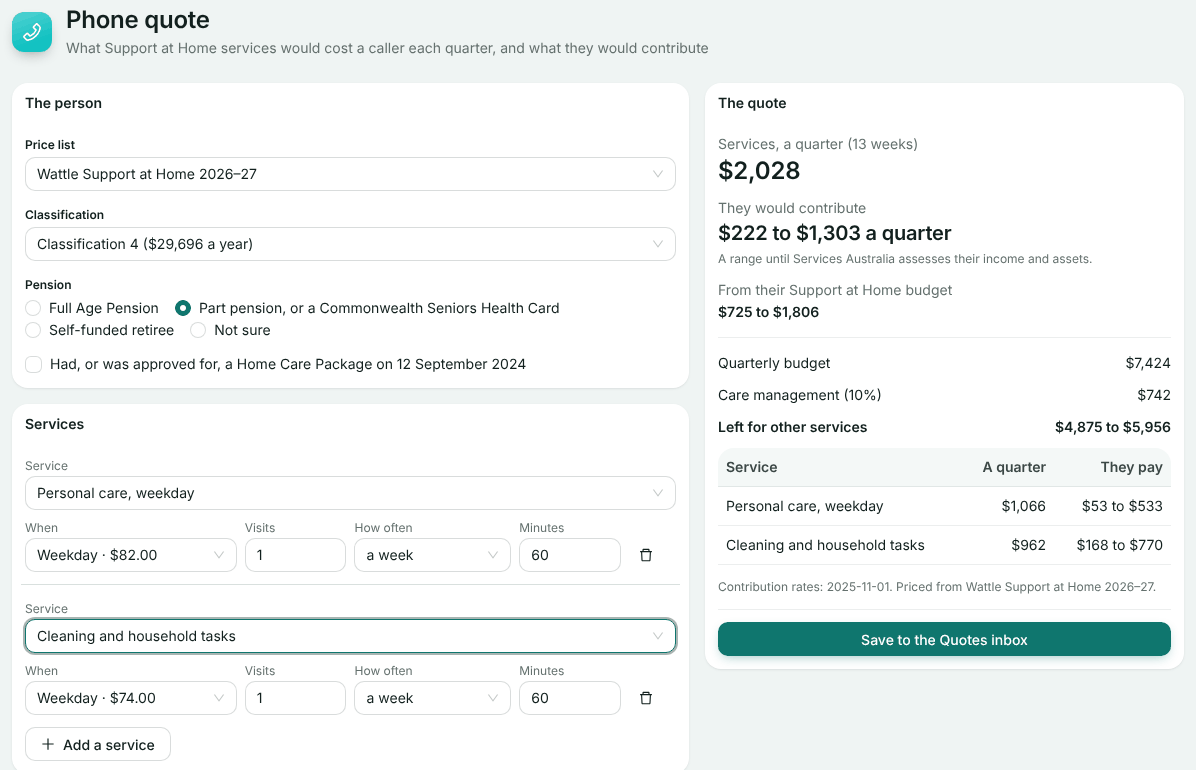
The person
Choose their Classification if they know it, a Support at Home classification or a transitioned Home Care Package level, or Not assessed yet. Choose their Pension, or Not sure. Tick the box if they had, or were approved for, a Home Care Package on 12 September 2024: different contribution rules apply. If more than one price list is in force, choose which one.
The services
For each service, choose the Service, When (weekday, weekday evening, Saturday, Sunday or public holiday), how many Visits, How often, and for hourly services the Minutes. Add a service adds another row.
Read it back
The quote updates as you go. See below for what each figure means.
Who called
Enter the caller’s first and last name and phone, and optionally their postcode and notes. If the services are for someone else, say so and enter that person’s name and how the caller is related.
Reading the quote
- Services, a quarter: the cost of the services over 13 weeks.
- They would contribute: what the person pays each quarter. Until Services Australia assesses their income and assets, it is a range.
- From their Support at Home budget: the rest.
- With a known classification: the Quarterly budget, Care management (10%) and what is Left for other services. Not yet assessed: the budget and what is left for each classification.
Tell the caller when a warning shows:
- Indicative prices: a service is still at the national median, not your own price, so the figure may change.
- More than their budget: they would pay the difference.
Save it
Choose Save to the Quotes inbox. It becomes a referral in the Quotes inbox, with a REF number and the quote attached as the caller heard it. From there, follow it up as any other referral: see Support at Home quotes.
Enquiries
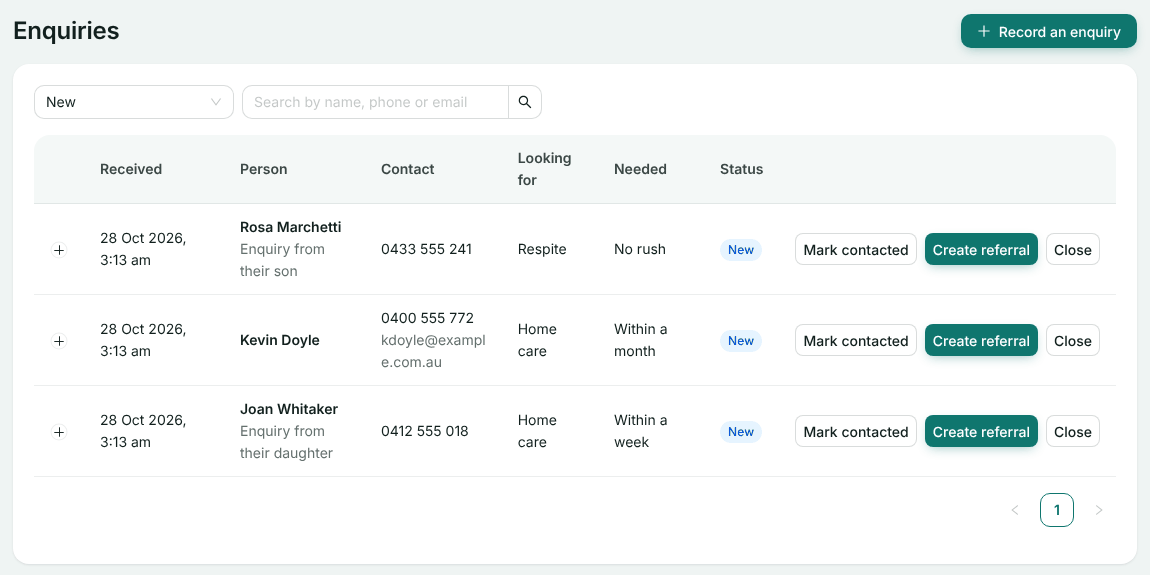
Enquiries lists everyone who has asked about care, from your website or recorded by your team with Record an enquiry. It opens on New; the filters show the others.
- Mark contacted once you have been in touch.
- Create referral sends it to the Quotes inbox, unallocated, and the row then links to it with Open referral.
- Close it if nothing more will come of it.
Expand a row to see the care needs, notes and follow-up the person gave.
If something goes wrong
- A service has no price for that time: the save button stays off. Add that rate to the price list, or quote another time.
- No Support at Home price list is in force: check a list is active and that today falls between its start and end dates.
- A chosen service is not on this price list: choose it again after changing the list.
Still stuck? Email support@healthos.net.au