Who it is for
This guide is for the people who run HealthOS for an organisation: setting people up, deciding how they sign in, shaping the organisation and connecting other systems. HealthOS has three administrator tiers, and each chapter says which one an action needs.
| Tier | Reach | Typically held by |
|---|---|---|
| Global administrator | Every organisation on the site, and the settings that apply to all of them | HealthOS, or the team that hosts your site |
| System administrator | One organisation, or each organisation where they hold a grant | Your IT or application administrator |
| Administrator | An organisation, often one facility | A facility or department administrator |
Where administration happens
| Place | Address | For |
|---|---|---|
| Admin portal | /admin/ on your staff address | People, organisation structure, configuration, integrations, diagnostics and audit. Most of this guide. |
| Settings in the staff app | /settings/ on your staff address | Who may decide for whom, equipment and badges, and the site’s government identity (global administrators). |
Screens show only what you may change. If a control is missing or greyed out, your role does not allow it, the organisation is not licensed for it, or a global administrator owns the setting.
Every admin portal screen has a Help button in its header that opens the part of this guide about that screen.
The dashboard
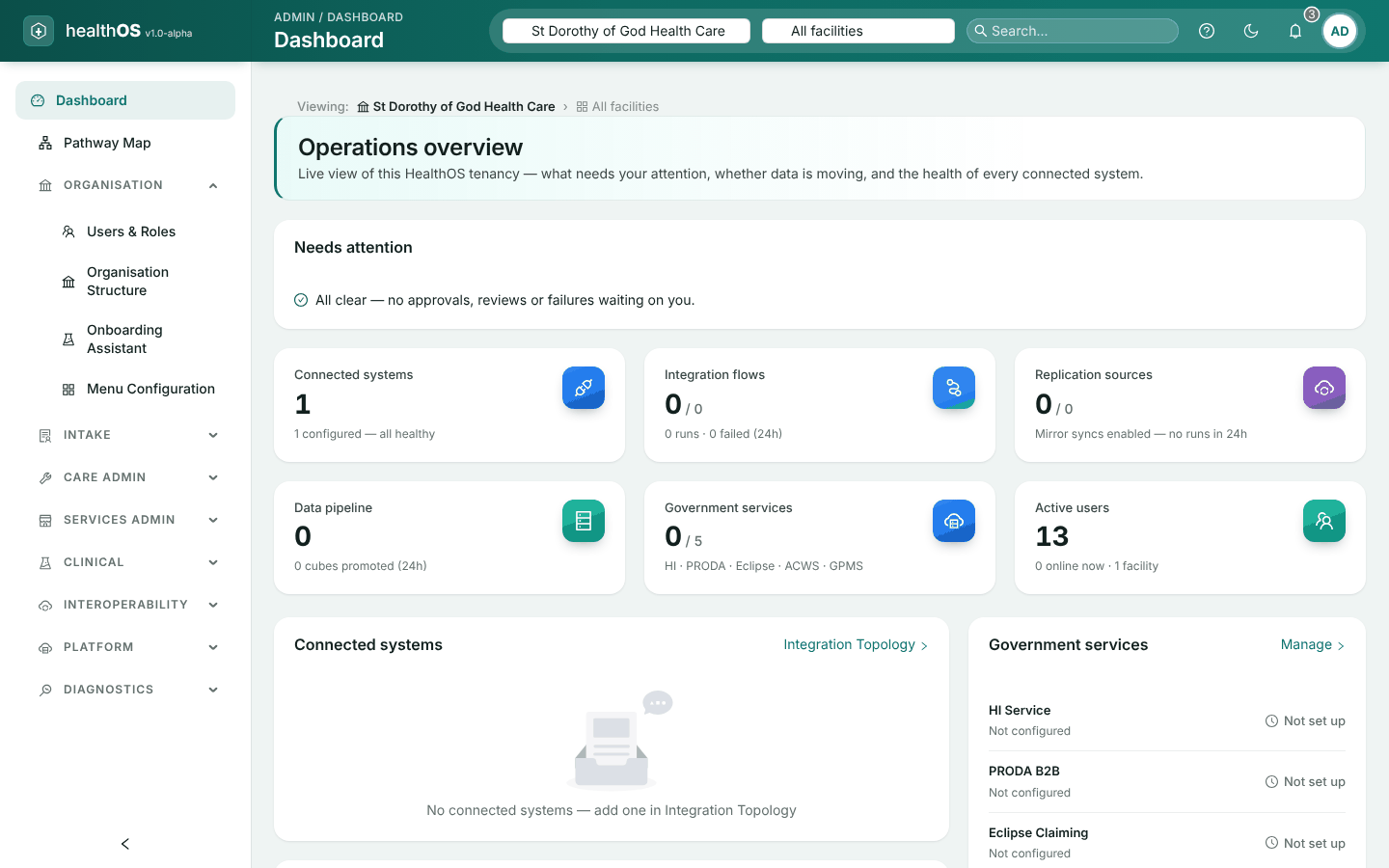
The admin portal opens on Operations overview, a live view of your organisation. It is for looking, not changing: each part leads to the screen where you act.
| Part | Shows |
|---|---|
| Needs attention | Changes waiting for approval, failed integration runs in the last day, records waiting to be matched to a person, and credentials about to expire. Choose one to go to the screen that resolves it. When nothing is waiting it says All clear. |
| Summary tiles | Connected systems, integration flows, replication sources, the data pipeline, government services and active users |
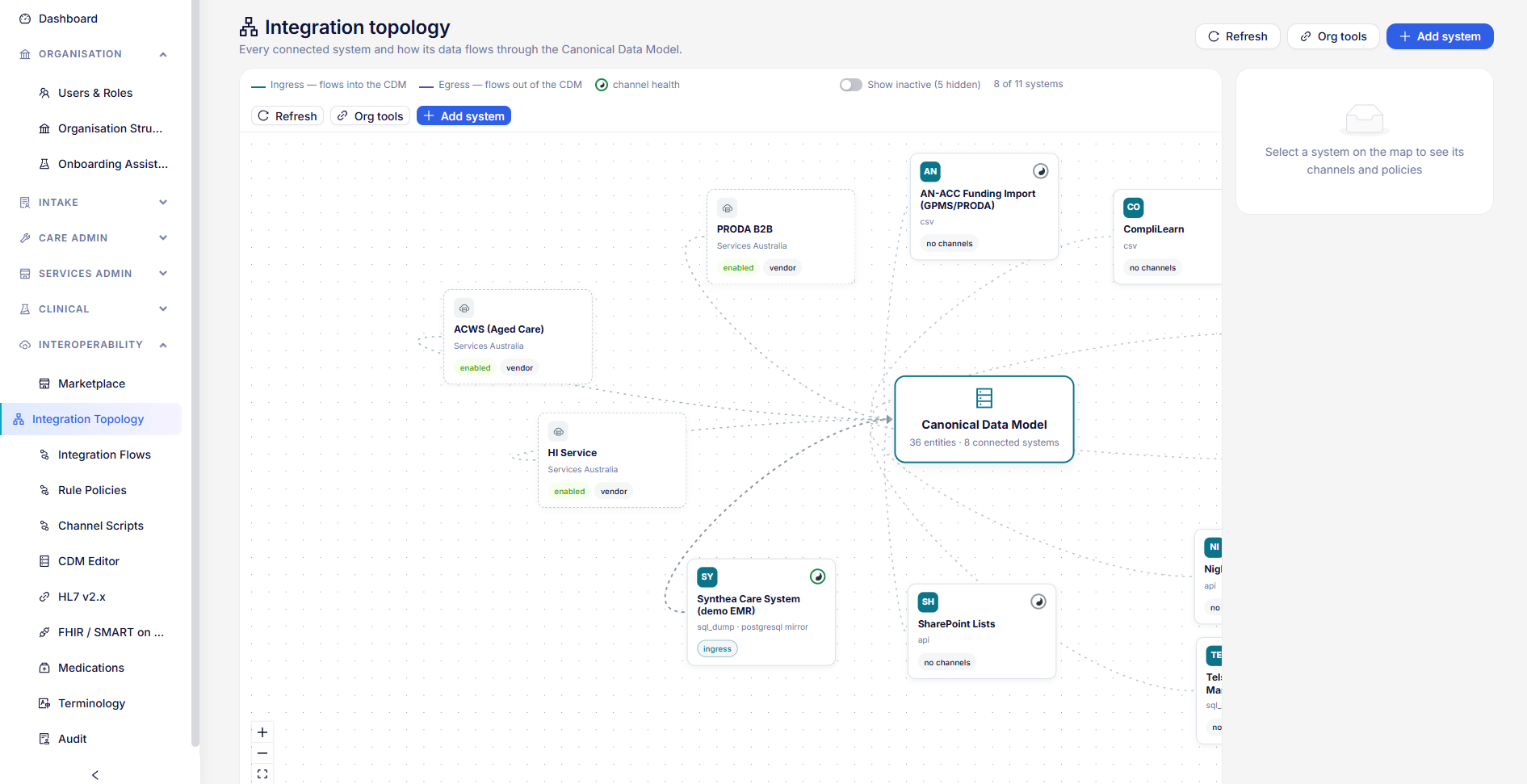
| Connected systems | Each system with its inbound and outbound channels and last activity. Choose a row to open it in the Integration Topology. |
| Background agents and government services | Whether scheduled work is running, and the state of each government connection. Manage opens its settings. |
| Recent activity | The latest changes made in the organisation |
The dashboard needs a system administrator or administrator.
Screen still in preview
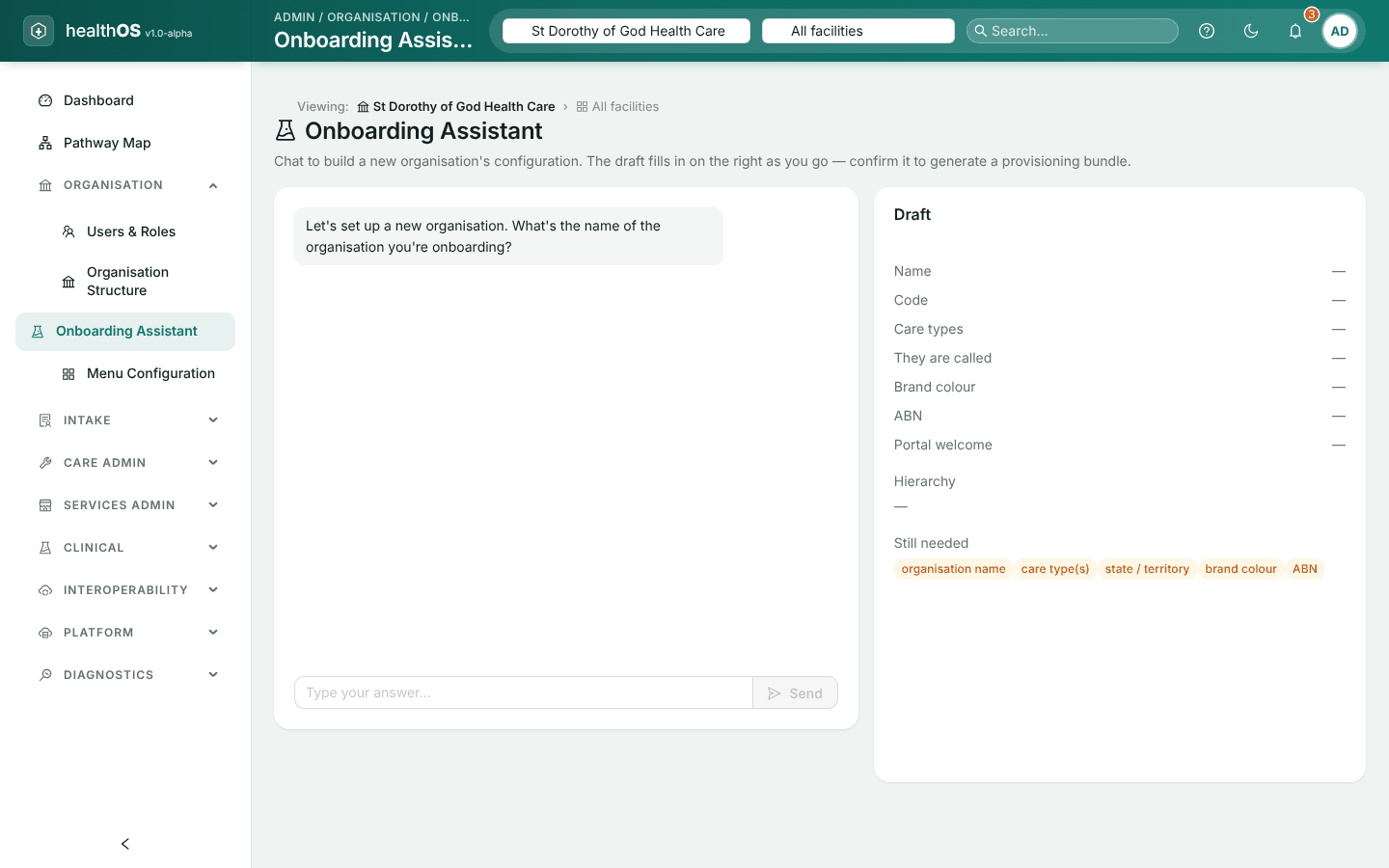
Every other admin portal screen saves what it shows. One is still partly in preview. If you need something it cannot do yet, email support@healthos.net.au.
| Screen | What works today |
|---|---|
| Onboarding Assistant | A chat that drafts a new organisation’s set-up, for HealthOS implementation consultants. The conversation is not saved. A global administrator can confirm the draft: after a preview of what will be made, it creates the organisation, its state and facility units and its branding. The licence, facility details, first administrator and terminology are still set up separately, and the assistant lists them. |
Chapters
- Administrator roles and users: The three administrator tiers, creating users, roles, grants and working across organisations.
- Sign-in and authentication: Passwords, lockout, two-step sign-in, session policy and Microsoft sign-in.
- Organisation, settings and licensing: Facilities, wards and beds, settings and overrides, menus and licences.
- Pathways, forms and letters: The Pathway Map, pathways, waitlists, forms, letter templates, care pathways and the welcome pack.
- Services administration: Billable events, the work queue and activity stories for families.
- Integrations and AI: The connector Marketplace, secrets, integration flows, standards, AI providers and notifications.
- Platform settings: Settings that apply to every organisation on a site, and software updates.
- Monitoring and audit: Diagnostics, audit trails, security events and a routine checklist.
Related reading
The Trust and security page explains how your data is protected. Developers connecting a system should start at the Developer portal. If you use one of the HealthOS SaaS products, the Help pages cover your workspace, team and billing.
Still stuck? Email support@healthos.net.au