Administrator roles and users
Who can administer what, and how to give people the access they need and no more.
The administrator tiers
Global administrator
Works across every organisation on the site. Global administrator accounts belong to a separate platform organisation, which holds no patient data and has its own sign-in policy. Only a global administrator can create or delete an organisation, change a licence, set up Microsoft sign-in, schedule software updates or change the settings that apply to the whole site.
System administrator
Runs one organisation: its people, roles, settings, integrations, forms and pathways. A system administrator sees only the organisations where they hold a grant.
Administrator
An organisation’s administrator, often for one facility. Most configuration screens accept an administrator. An administrator cannot make someone a system administrator.
Administrators keep separate accounts
An account that holds an administrator role cannot also hold a clinical or operational role such as doctor, nurse or coder. The rule is enforced however a role is given, including through Microsoft Entra. Someone who both administers and practises needs two accounts: one to administer, one to work.
When your organisation requires two-step sign-in for administrators, an administrator role can only be given to an account that will be asked for a second step.
Who may grant which role
| Role being given | Who may give it |
|---|---|
| Global administrator | Only a global administrator |
| System administrator | A system or global administrator |
| Any other role | An administrator. Below system administrator, you may only give permissions you hold yourself. |
An organisation can create its own roles, but not one named like an administrator role.
Managing people
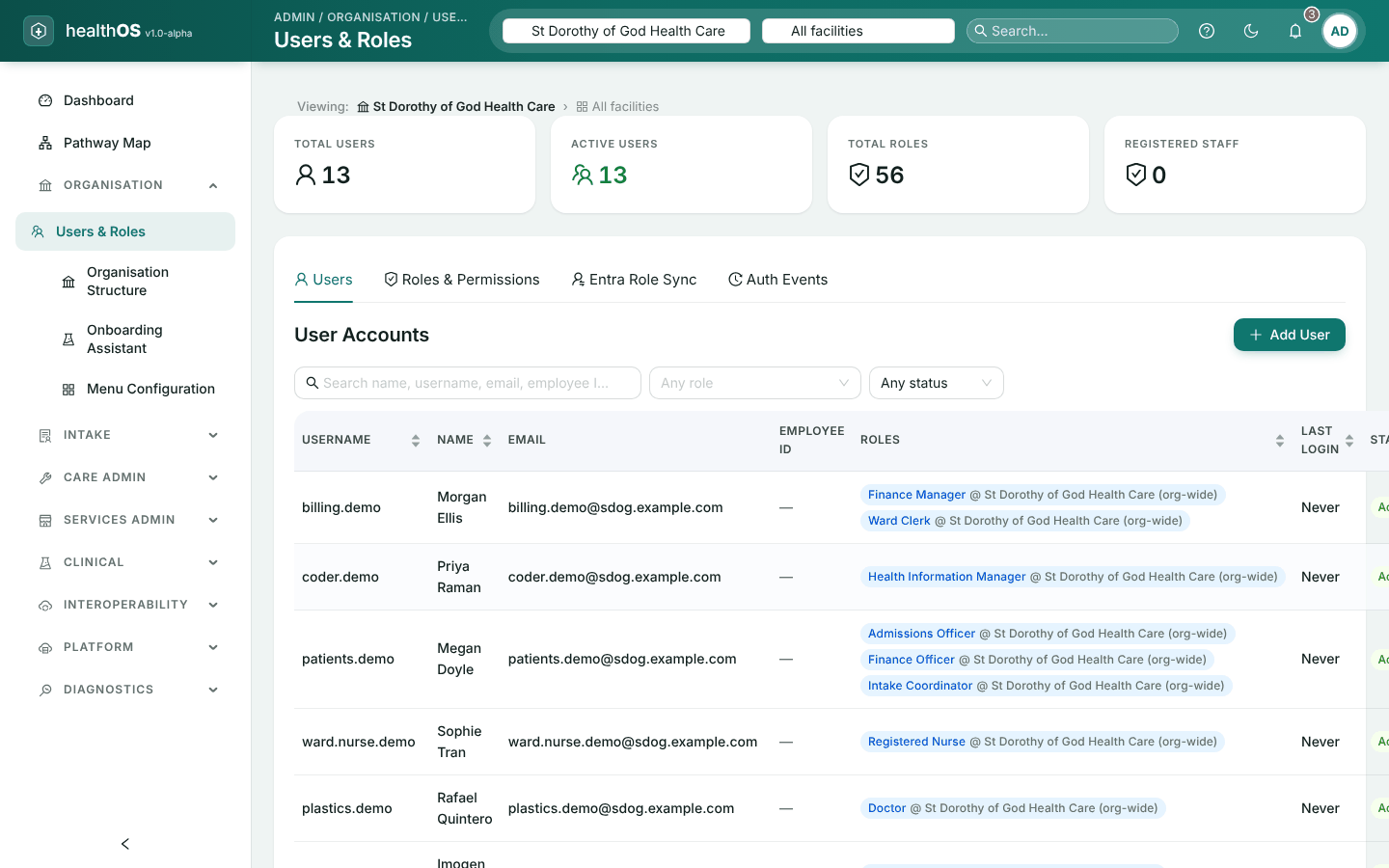
In the admin portal, open Organisation › Users & Roles. Its tabs are Users, Roles, Entra Sync (see Sign-in and authentication) and Auth Events, your organisation’s sign-in history.
Add the person
Choose Add user and enter their name, username and work email.
Give them a passphrase
At least four words and 15 characters. A passphrase that appears in a known data breach is refused. They are asked to choose their own the first time they sign in.
Give them roles
Add each role at the right scope: the whole organisation, or one facility, ward or department.
| To | Do this |
|---|---|
| Reset a password | Choose Set Password on their row. People can also reset their own from the sign-in page, by email link or text message. |
| Reset an authenticator app | Choose Reset authenticator app. Their remembered devices are forgotten too, and they enrol again at next sign-in. |
| Unlock an account | Set its status back to active. A lock from wrong passwords also lifts by itself after 15 minutes. |
| Re-enable a dormant account | Set it active. Dormant accounts are disabled automatically, but never re-enabled automatically. |
| Remove someone | Set them inactive, or delete them. Nothing is erased: their history stays under their name. |
Roles, grants and scope
A grant gives a person a role at a scope: the whole organisation, or one part of it. A charge nurse granted at one ward has that authority on that ward only. A grant can have start and end dates, which suits locums, students and agency staff: access ends on the day without anyone remembering to remove it.
HealthOS comes with roles for clinical, administrative, coding, aged care, home care, service and research work. Add your own under the Roles tab, and check what someone can actually do from their effective permissions.
Working across organisations
- Switching. The organisation picker in the header switches between your home organisation and any organisation where you hold a grant. A global administrator can switch to any organisation.
- All organisations. A global administrator can view every organisation together. That view is read-only: pick an organisation before changing anything in it.
- Facility and ward. The facility and ward pickers narrow day-to-day screens to one site.
Still stuck? Email support@healthos.net.au